The creator economy is worth $250 billion in 2026. Most of the people building audiences in it started with free tools. Not trials. Not "free for 14 days." Genuinely free tools that have been around for years and keep getting better.
This guide covers the complete zero-budget creator tool stack: the best free AI tools for writing and scripting, plus every other category you need -- video editing, design, audio, scheduling, and analytics. Whether you're starting a TikTok, a YouTube channel, or an Instagram, the tools here handle the full workflow for $0 per month.
Every tool listed has a genuinely usable free plan with no auto-charge and no hidden upgrade wall. Where a free tier has a real limitation (like a small watermark), we'll tell you upfront.
The Bottom Line
- The creator economy reached $250 billion in 2026. Only 4% of creators earn over $100K/year -- the rest build audiences on lean budgets (DemandSage, 2026).
- 86% of marketers using AI tools save more than 1 hour every single day (ElectroIQ, December 2025).
- The zero-budget stack -- CapCut + Canva + ChatGPT Free + Buffer + Audacity + Notion -- replaces $80-90/month in paid software.
- 84% of top creators already use AI tools in their workflow. The free tiers are legitimately good enough to start.
- The biggest mistake beginners make isn't picking the wrong tool. It's picking ten tools at once, getting overwhelmed, and posting nothing.
Do You Actually Need to Spend Money to Create Content?
Short answer: no. Longer answer: still no, especially when you're just starting out.
The creator economy reaching $250 billion sounds intimidating, but most of that revenue flows to creators who built their audiences first -- with free tools -- and monetized later (DemandSage, 2026). Spending money on software before you have an audience is expensive procrastination.
According to DemandSage's 2026 report, only 4% of creators earn over $100K per year. The vast majority are building audiences on lean budgets, and the free tools available in 2026 are genuinely capable of supporting professional-quality output. What actually matters at the start is consistency and content quality -- both achievable at $0.
Adobe's October 2025 survey of 16,000 creators found that 86% reported AI tools accelerated their follower growth or business results. That finding held across creators using free and paid AI tiers. The plan level doesn't matter nearly as much as showing up consistently. Free tools are not a stepping stone to the "real" tools. For most beginners, they are the real tools.
According to DemandSage's 2026 creator economy report, the global creator market is estimated at $250 billion and projected to reach $500 billion by 2030. Only 4% of creators earn over $100K per year, meaning the vast majority are building audiences on lean budgets. Adobe's 2025 survey of 16,000 creators confirmed that 86% of those who use AI tools -- free or paid -- reported accelerated growth, showing that the plan tier matters far less than consistent use (DemandSage, 2026).
Your Complete Free Creator Tool Stack at a Glance
The best zero-budget stack covers six categories: video, writing, design, audio, scheduling, and analytics. Here's what to use in each, what the free plan actually gives you, and whether you'll hit a paywall before you're earning from content.
| Tool | Category | Free Limit | CC Required? | Watermark-Free? |
|---|---|---|---|---|
| CapCut | Video Editing | 1080p exports, no limit | No | Yes |
| DaVinci Resolve | Video Editing (long-form) | Full features, no limit | No | Yes |
| Opus Clip | Short-form Clip Creator | 60 min/month | No | Small watermark |
| ChatGPT | AI Writing / Scripting | Unlimited GPT-4o mini | No | Yes |
| Claude (Anthropic) | AI Writing / Long-form | Daily message limit | No | Yes |
| Canva AI | Design / Thumbnails | Unlimited templates | No | Yes |
| Leonardo.ai | AI Image Generation | 150 credits/day | No | Yes |
| ElevenLabs | AI Voiceover | 10,000 chars/month | No | Yes |
| Audacity | Audio Editing / Podcasting | Full features, no limit | No | Yes |
| Buffer | Scheduling | 3 channels, 10 posts each | No | Yes |
| Notion | Planning / Calendar | Unlimited personal pages | No | Yes |
| YouTube / TikTok / Instagram | Analytics | Full native analytics | No | Yes |
Best Free Video Editing Tools for Content Creators
55% of marketers now cite video creation as their top AI use case, up 12% year over year (HubSpot, 2025). Three years ago, editing a good YouTube video required software expertise and hours of post-production. Now free tools handle subtitles, cuts, and color in minutes. Here's what to use based on your content type.
CapCut (Free) is the best free video editor for most beginners in 2026. It exports at 1080p with no watermark, auto-generates surprisingly accurate subtitles, removes backgrounds in one click, syncs your cuts to music beats, and comes loaded with trending templates. The mobile and desktop apps are both free. If you're making TikToks, Reels, or YouTube Shorts, CapCut replaces a $9.99/month Adobe Premiere Rush subscription immediately. CapCut reached 200 million monthly active users in 2023 and has only grown since.
DaVinci Resolve (Free) is the right choice for long-form YouTube content. Hollywood colorists use it. The free version has no feature restrictions -- no watermark, no export limits, no time-locked features. The learning curve is steeper than CapCut, but once you're past it, nothing comes close at this price. Start with CapCut. Come back to DaVinci when your videos run longer than 5 minutes.
Opus Clip (Free) solves a specific problem: turning a 20-minute YouTube video into 3-4 short clips without manually watching everything. Upload it, and Opus Clip finds the viral moments automatically, adds captions, and formats them for TikTok, Reels, and Shorts. The free plan gives you 60 minutes of processing per month. Free exports include a small watermark, but for the time saved, it's a reasonable trade.
CapCut reached 200 million monthly active users in 2023 and has continued growing, making it the most widely adopted free video editing tool among short-form creators. Its free plan includes 1080p exports without watermarks, AI-powered auto-captions, and one-click background removal -- features that previously required paid tools like Adobe Premiere Rush ($9.99/month). For beginners creating TikTok, Reels, or YouTube Shorts content, CapCut's free tier effectively replaces the entire paid video editing stack (PostEverywhere, 2026).
Best Free AI Writing Tools for Content Creators
89% of marketers now use AI for content creation, with topic brainstorming (62%) and draft writing (44%) as the top two use cases (Content Marketing Institute, 2025). If you're still writing every caption, script, and description manually, you're spending two to three times longer than the creators you're competing with. That gap is closeable today, for free.
ChatGPT Free is the most versatile AI writing tool for beginners. The free tier gives you GPT-4o mini (unlimited) and GPT-4o (limited daily uses). For a beginner creating YouTube scripts, Instagram captions, or blog intros, the free plan covers everything. You can write a full 800-word script, five Instagram captions, and a YouTube script without hitting the limit on most days.
The key is prompting it well. Instead of "write me a caption about my new video," try: "Write 5 Instagram captions for a video about [topic]. Casual tone, under 150 characters each, include one question per caption to drive comments." Specific prompts produce dramatically better results.
Claude Free (Anthropic) is better than ChatGPT for longer, more coherent content. Its free tier handles up to 100,000 tokens per conversation without losing context -- that's roughly 10 YouTube scripts in a single session. It also sounds less robotic than most AI writing tools, which matters when you care about brand voice and audience trust.
Don't want to fuss with prompts at all? Our free tools generate structured output without prompt engineering. Use the YouTube Script Generator for retention-optimized scripts, the TikTok Script Generator for short-form, the TikTok Hook Generator for opening lines, and the YouTube Title Generator and Description Generator for metadata. All free, no login required.
Grammarly Free rounds out the writing toolkit. It has over 30 million daily active users and works as a browser extension across every platform you type on -- TikTok captions, Instagram bios, YouTube descriptions. It catches grammar errors, flags awkward phrasing, and checks tone, all without you thinking about it. Install it once.
AI writing tools have shifted from competitive advantage to standard equipment. According to Content Marketing Institute's 2025 research, 89% of marketers use generative AI, with topic brainstorming (62%) and content summarization (53%) as the top use cases. Beginners who adopt free AI writing tools now are catching up to professionals who started two years ago, using the same tools at the same price: zero (Content Marketing Institute, 2025).
Best Free Design and Image Tools for Content Creators
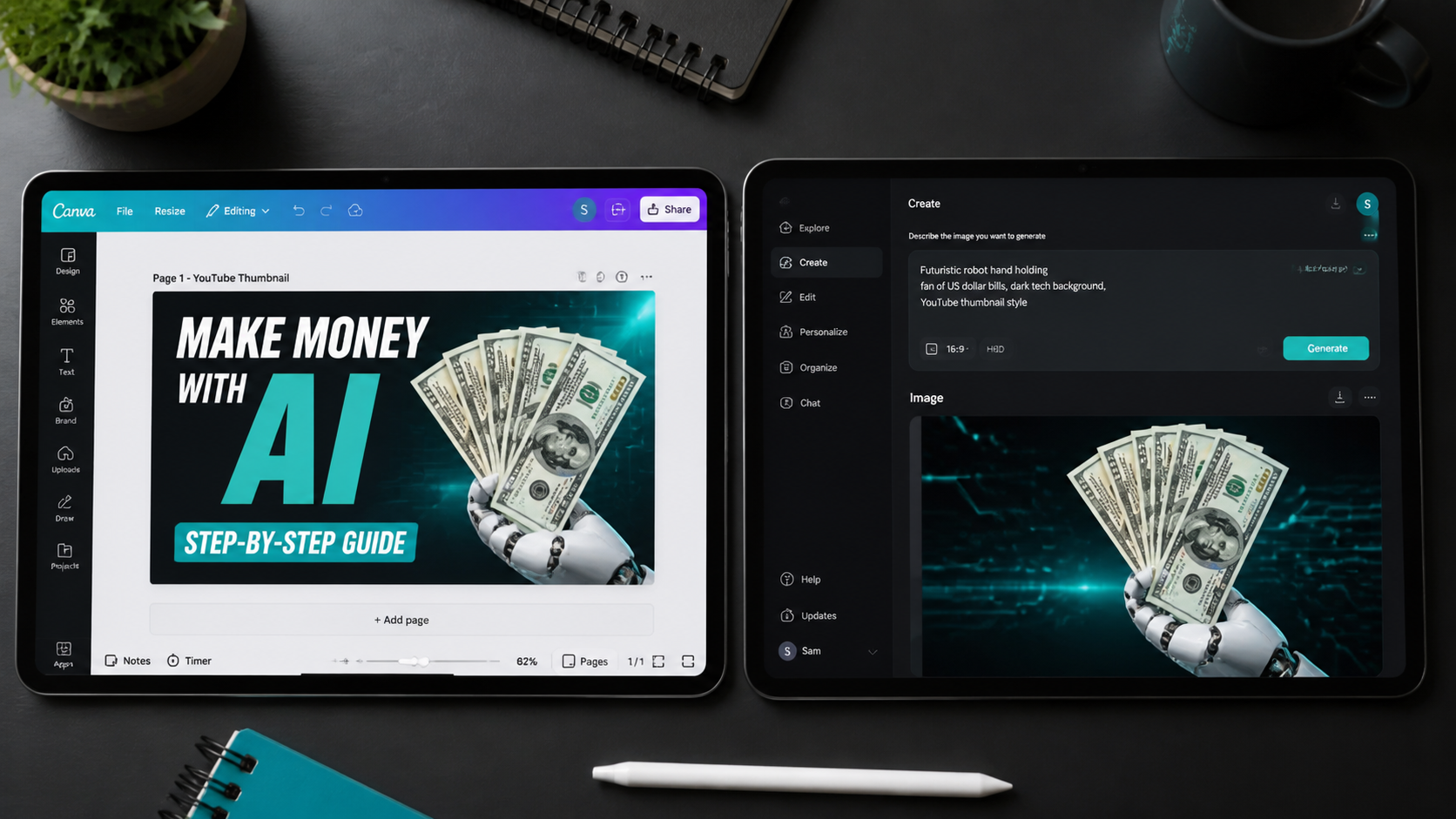
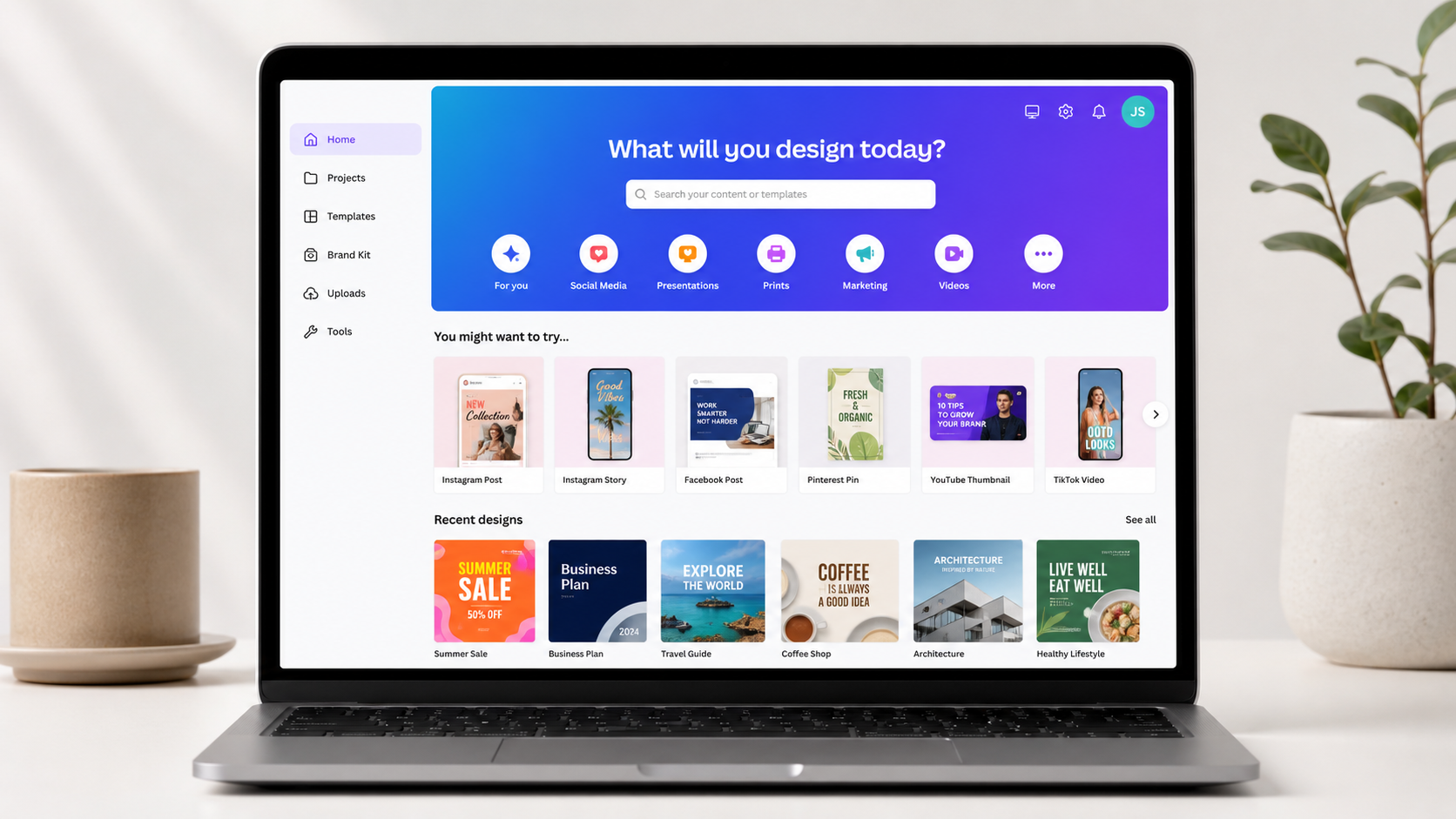
Canva has 260 million monthly active users in 2026 for a reason: it turns anyone into a functional designer in about five minutes (Jimdo, 2026). The free plan covers Instagram posts, YouTube thumbnails, LinkedIn graphics, story templates, and short-form video. AI Magic Design (automatic layout generation) and instant background removal are now available on the free tier -- features that were locked behind Canva Pro ($14.99/month) as recently as 2024.
One underused trick: lock your colors and fonts in Canva's free Brand Kit. Consistent visual identity makes a small account look far more professional than the follower count suggests. It takes 10 minutes to set up and pays back every time you open a new design.
Leonardo.ai Free gives you 150 AI image generation credits per day at zero cost. No credit card. No watermark. Commercially usable. It's better than Canva for photorealistic or stylized AI-generated images -- use it when you need a custom thumbnail background or hero image that stock photography doesn't cover. Generate the image in Leonardo, then import it into Canva to add your text and branding.
Adobe Express Free is worth bookmarking as a backup. It handles certain ad-style template formats that Canva doesn't, and its AI image generator (limited monthly credits) produces clean results fast. Between Canva and Adobe Express, you have design fully covered without spending a cent.
Before you open any design tool, run your title through the YouTube Title Generator. Knowing the text before you design the thumbnail saves two rounds of edits.
Best Free Audio Tools for Content Creators
Audio quality drives more retention than most creators expect. A 2024 study found that viewers tolerate poor video quality far longer than they tolerate poor audio. Getting this right doesn't cost anything -- you just need the right tools.
Audacity (Free) handles everything a beginner podcaster or voiceover creator needs: noise reduction, EQ, compression, and multi-track recording. Adobe Audition charges $22.19 per month for essentially the same features. Most podcast editors use Audacity even after they could afford to upgrade. That says a lot. It runs on Mac and Windows, it's open-source, and it has been the standard for free audio editing since 2000.
ElevenLabs Free is the best free AI voice tool in 2026. The free tier gives you 10,000 characters per month of AI-generated voiceover at no cost, no credit card, and with watermark-free exports. That's about 5-7 minutes of polished narration per month. For a faceless YouTube channel, pair ElevenLabs narration with CapCut video editing and you have a complete production workflow without ever appearing on camera or speaking a word.
Spotify for Podcasters (Free) lets you record, edit, and distribute your podcast to Spotify, Apple Podcasts, and all major platforms at no cost. No hosting fees. This replaces paid hosting services that typically cost $12-20/month. It's the simplest possible entry point for audio content creators.
Descript Free is worth mentioning for one specific feature: editing audio by editing a transcript. Instead of scrubbing a timeline to find your "ums," you highlight and delete the text. It also removes filler words automatically. The free tier handles basic projects well.
Audacity, the free open-source audio editor, provides noise reduction, EQ, compression, and multi-track recording at zero cost -- features Adobe Audition charges $22.19/month to access. For new podcast creators, Spotify for Podcasters offers free hosting and automatic distribution to major platforms including Apple Podcasts, replacing paid hosting services that typically cost $12-20/month. Together, these two free tools cover the full audio production workflow for beginners at no subscription cost (AltSchool Africa, 2026).
Best Free Scheduling and Planning Tools for Content Creators
Posting great content is only half the job. Publishing consistently -- on the right platforms, at the right times -- is where most beginners fall apart. It's not usually a content quality problem. It's a systems problem. Free scheduling tools fix this by letting you batch a week's posts in one session and have them go out automatically.
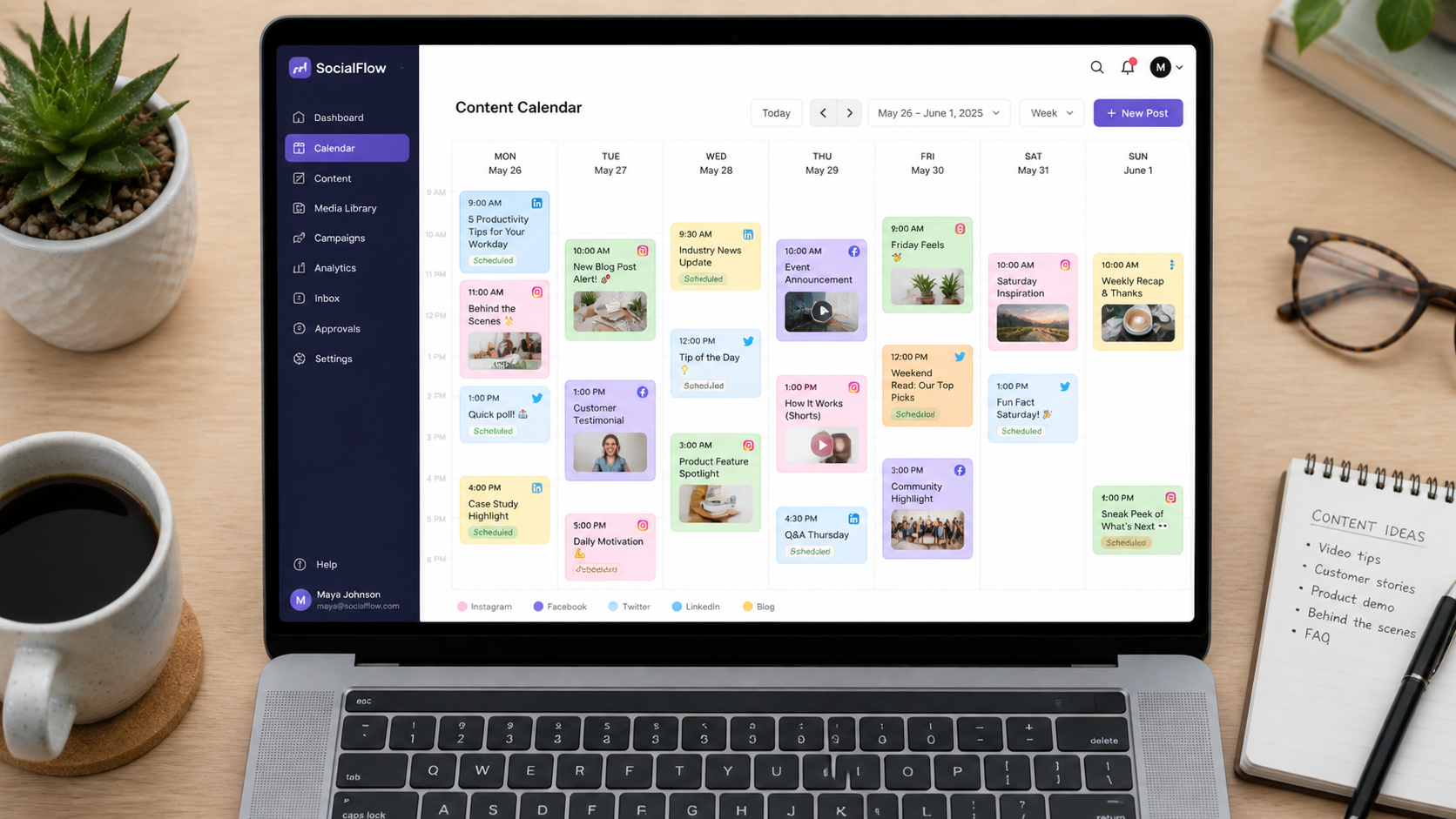
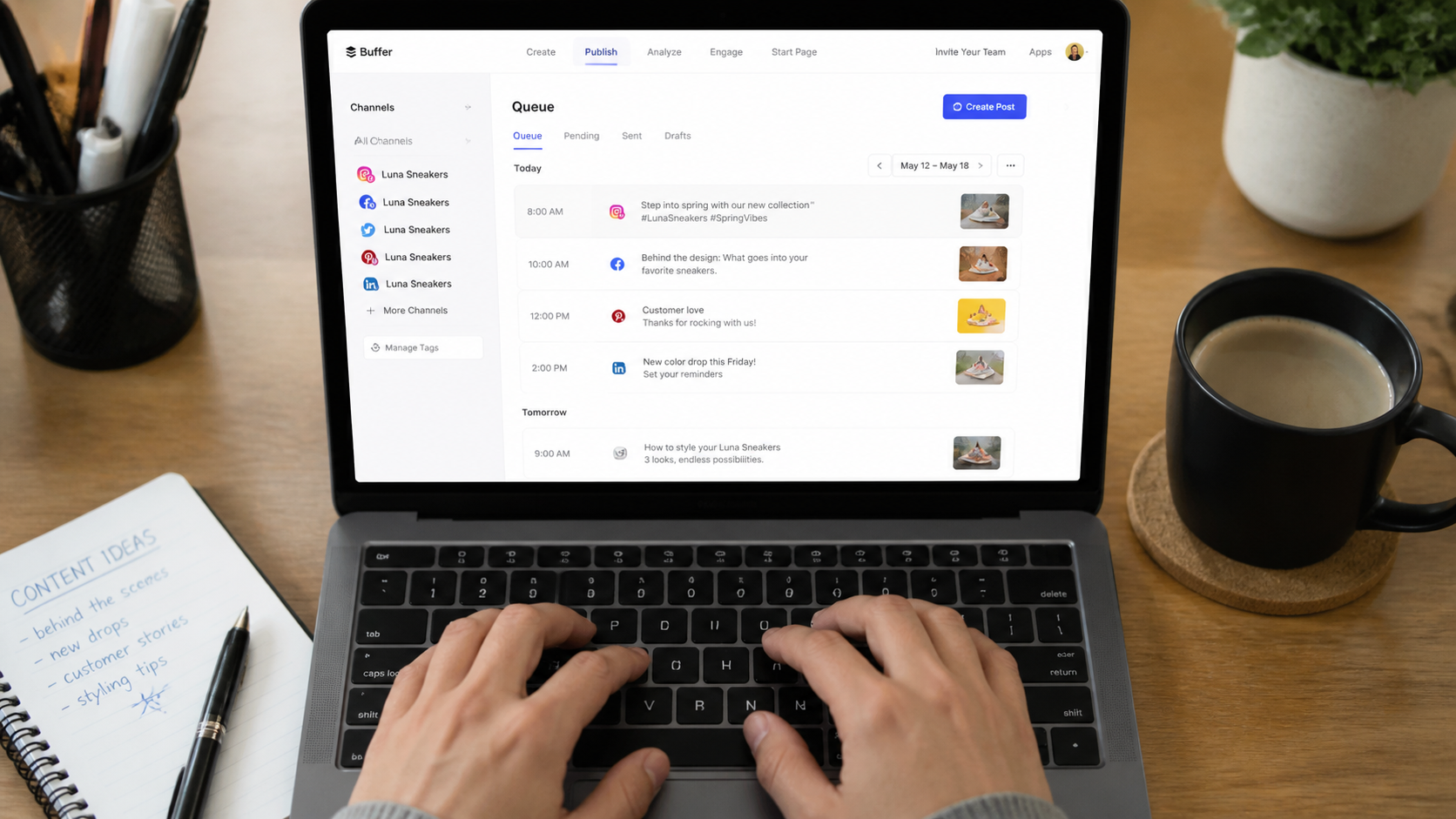
Buffer Free is the most beginner-friendly scheduling tool available. The free plan lets you connect 3 social channels and queue up to 10 posts per channel per month. That's enough to schedule a full week of content in 30 minutes on Sunday. Buffer also provides basic reach, click, and engagement analytics so you can see which posts actually worked. No credit card, no catch. It supports Instagram, TikTok, YouTube, LinkedIn, and X (Newzenler, 2026).
Metricool Free is a better option if you're active on more than 3 platforms. The free plan includes one profile per network (Instagram, TikTok, Twitter/X, LinkedIn, YouTube, Facebook), competitor analytics, and a link-in-bio tool -- all at zero cost. The interface has a steeper learning curve than Buffer, but it's comprehensive enough to manage a multi-platform presence without paying for anything.
Later Free is the cleanest option if Instagram is your primary platform. The free plan includes 30 posts per month for one account, a visual grid planner that shows exactly how your feed will look before you publish, and best-time suggestions. For a beginner building an Instagram presence, Later's free tier covers the first 12 months without limitation.
Notion Free is where to keep everything else: your content calendar, script drafts, caption templates, and niche research. The free personal plan gives you unlimited pages and basic collaboration. Creator-specific templates shared by the community are free to import and get you set up in about 20 minutes. Think of it as a free project management system built around how creators actually think.
Best Free Analytics Tools for Content Creators
Native analytics are free, platform-specific, and give you the exact data you actually need. Start there before touching any third-party tool.
YouTube Studio shows you watch time, audience retention curves (where viewers drop off), click-through rate on thumbnails, impressions, and subscriber gains per video. The retention graph is the single most valuable data point a new YouTube creator has. If 60% of viewers leave in the first 30 seconds, the problem is your hook. No paid tool tells you that more clearly than Studio does for free.
TikTok Creator Center gives you video views, profile views, follower demographics, and the percentage of views coming from the For You Page vs. followers. For understanding whether your content is reaching new people, that FYP percentage is what to watch. Link to: how the TikTok For You Page algorithm works.
Instagram Insights covers reach, impressions, accounts reached (the number that matters), and interaction data broken down by content type. Check which Reels reached non-followers vs. followers. That ratio tells you whether the algorithm is distributing your content beyond your existing audience.
Google Trends (Free) is the most underused research tool for beginners. Type in a topic, check the 12-month trend line, and compare it against 2-3 alternatives. It takes two minutes and saves you from making videos about topics nobody is searching for anymore. Check it before you script anything.
Third-party analytics tools like Sprout Social charge $249/month for data that YouTube Studio, TikTok Creator Center, and Google Trends give you for free. Ignore paid analytics tools until you're running a team and need consolidated reporting. That's a problem for later.
The Zero-Budget Workflow: How to Use These Tools Together
Only 40% of small businesses have adopted AI tools compared to 57% of large companies (ElectroIQ, 2025). That gap is your opportunity. Here's a complete weekly workflow using nothing but free tools. Total weekly time investment: around 2-3 hours for 2-3 pieces of content.
- Monday (30 min) -- Plan your content. Use Google Trends to confirm your topic is trending. Then use our YouTube Title Generator or TikTok Hook Generator to confirm a strong angle before spending time producing anything.
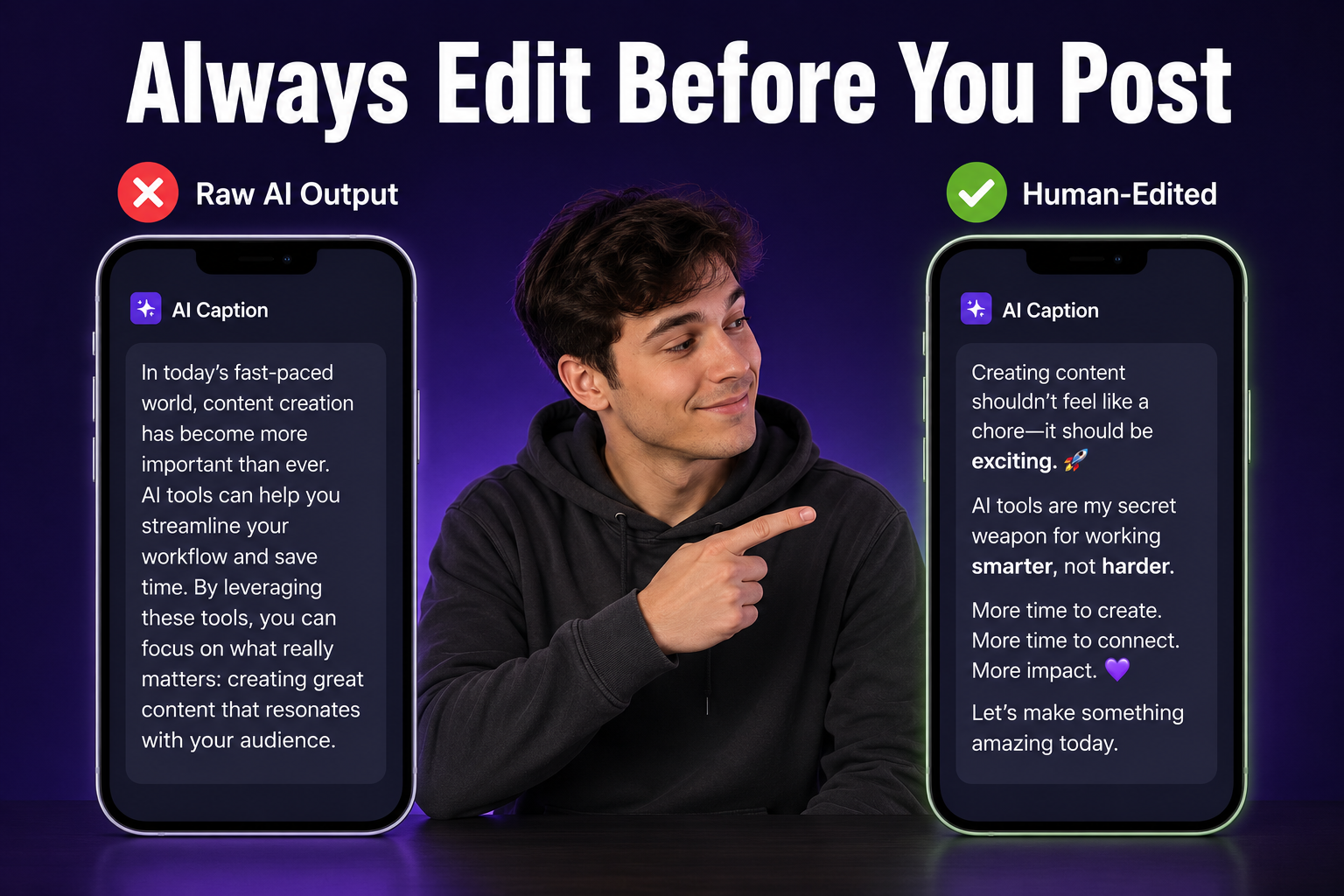
- Monday (45 min) -- Write your script or copy. Use our YouTube Script Generator for video or TikTok Script Generator for short-form. Edit the output to match your voice. Never post raw AI output -- always read it aloud and fix what doesn't sound like you.
- Tuesday (30 min) -- Create your visuals. Open Canva, pick a thumbnail or social graphic template, swap the text, adjust colors, and export. For a custom AI background image, generate it in Leonardo.ai first and import it into Canva.
- Tuesday (30 min) -- Edit and caption your video. Import your footage into CapCut, let it auto-generate subtitles, trim dead air from the start, and add background music. Export at 1080p. Done in one session.
- Wednesday (15 min) -- Optimize and schedule. Run your video through the YouTube Description Generator and YouTube Tag Generator. Schedule your social posts in Buffer. Done for the week.
Total tools used: Google Trends, ChatGPT or Claude, CapCut, Canva, Leonardo.ai, Buffer, and the free generators at CreatorsToolHub. Total monthly cost: $0.
5 Mistakes Beginners Make With Free AI Tools
A 2024 Nielsen study found that audiences correctly identify AI-generated content 68% of the time when it's published without human editing. That's a trust problem. Using AI badly is like using autocorrect to write a speech and reading it aloud without checking. Here are the five mistakes that trip up most new creators with free tools.
- Posting raw AI output without editing. This is the biggest one. AI writes a first draft, not a final one. If your script sounds like it was written by a slightly tired robot, it probably was. Read every piece of AI output aloud before you publish it. Fix anything that doesn't sound like you.
- Ignoring analytics. AI gives you content faster. Analytics tell you which content is working. Without checking your numbers in YouTube Studio or TikTok Creator Center, you're just guessing in a slightly faster way. Check your retention graph after every video.
- Installing too many tools at once. Fourteen free tools sounds exciting. It's actually fourteen open browser tabs and nothing shipped. Pick three -- CapCut, Canva, and ChatGPT -- and get good at them before adding anything else. Mastery of three tools beats familiarity with fourteen.
- Using generic prompts. "Write a YouTube script about fitness" gets you a generic script that sounds like every other fitness video. Add your audience, your angle, your tone, and your video length. Specific input produces specific output. Use the YouTube Script Generator if prompt engineering isn't your thing -- it structures the brief for you automatically.
- Expecting AI to replace your unique voice. It won't. Your personality, your opinions, your stories -- those are what build an audience that keeps coming back. AI handles structure and first drafts. You supply the reason someone should watch you instead of the next creator who used the same tool.
Nielsen's 2024 content authenticity research found that audiences correctly identified unedited AI-generated content 68% of the time, with trust scores dropping significantly for creators who post without personalization. Human editing remains the single most important step in any AI-assisted content workflow, regardless of which free tools you use or how advanced the AI model is.
Start With One Tool, Not Ten
The most common mistake new creators make with AI isn't picking the wrong tool. It's picking ten tools in the first week, getting overwhelmed by the options, and posting nothing.
Pick one. If you're a video creator, start with CapCut. If you're a writer or podcaster, start with ChatGPT or Audacity. Use it for two weeks. Get comfortable with it. Then add the next tool. The compounding effect of mastering one tool per month beats the scattered approach of sampling twenty tools in a week.
You don't need to master everything on day one. You need to publish on day one. A decent video posted today beats a perfect video sitting in drafts for another week. AI handles the scaffolding. You provide the reason someone should watch.
When you're ready to go deeper, browse the full free tool library at CreatorsToolHub. And when your channel starts growing, check out our guides on YouTube SEO for beginners, getting YouTube views with no subscribers, and 50 content ideas when you're stuck. The best workflow is the one you'll actually stick to.
Frequently Asked Questions
What is the best free tool for a complete beginner content creator?
Start with CapCut for video editing and Canva for graphic design. Both are free, require no credit card, export without watermarks, and have enough built-in templates and tutorials that you'll be producing real content within your first hour. Once those feel natural, add ChatGPT Free for scripting and Buffer Free for scheduling. Most beginners don't need anything beyond those four tools for the first 6 months.
Is CapCut really free with no watermark in 2026?
Yes. CapCut's free plan exports at 1080p with no watermark as of 2026. It includes AI auto-captions, background removal, beat sync, and hundreds of trending templates at no cost. The paid plan adds 4K export and some advanced AI features, but for beginners making TikToks, Reels, and YouTube Shorts, the free tier handles everything you need.
Can I use ChatGPT Free for content creation, or do I need the paid plan?
The free tier is enough to start. GPT-4o mini (unlimited on free) handles caption writing, hook generation, script outlines, and brainstorming well. You'll hit usage limits if you're generating content all day long, but for a beginner posting 3-5 times per week, the free plan covers it. Upgrade to ChatGPT Plus ($20/month) when content creation becomes your main job, not before.
Are these free tools actually free, or do they have hidden costs?
Every tool in this guide has a genuinely usable free tier. ChatGPT, Claude, Canva, CapCut, ElevenLabs, Buffer, Audacity, Notion, and Leonardo.ai all let you create real content without a payment method on file. Volume limits exist -- ElevenLabs caps at 10,000 characters per month, Buffer at 10 posts per channel -- but those limits won't constrain a beginner posting 2-3 times per week. The upgrade triggers are about volume and automation, not core quality.
Do any of these free AI tools add a watermark to my content?
Most don't. ChatGPT, Claude, Canva Free, CapCut, Leonardo.ai, Buffer, Audacity, and ElevenLabs all export without watermarks on their free plans. The one exception in this guide is Opus Clip, which adds a small watermark on free exports. Every tool in the core starter stack -- CapCut, Canva, ChatGPT, Buffer -- is watermark-free.
What free tool can I use to schedule posts across multiple platforms?
Buffer's free plan covers 3 channels (Instagram, TikTok, YouTube, LinkedIn, X) with up to 10 queued posts per channel. That's enough for a consistent schedule when you're starting out. If you're on more than 3 platforms, Metricool's free tier supports one profile per network with bonus competitor analysis. Later is the best option if Instagram is your main platform.
How much time can I actually save using free AI tools as a beginner?
86% of marketers using AI tools save more than 1 hour per day (ElectroIQ, December 2025). For beginners, the biggest time savings come from scripting (60-70% faster with ChatGPT vs writing from scratch) and thumbnail design (from 2 hours to about 20 minutes with Canva templates). On a 2-video-per-week schedule, expect to recover 3-5 hours per week once the workflow feels natural -- usually after about 4-6 weeks of consistent use.