- Reels reach rate (30.81%) is more than 2x any other Instagram format: carousels hit 14.45%, images just 13.14% (Social Insider, Feb 2026).
- 55% of your Reels views will come from people who don't follow you yet. Zero followers is not the disadvantage you think it is.
- Nano-accounts under 10K followers have the highest engagement on the platform at 6.23%. Small is actually a strength right now.
- Trial Reels sends your content to non-followers first before publishing. Use it on every single Reel you post.
- Post 3-5 Reels per week and treat "sends per reach" (DM shares) as your north star metric, because that's what the algorithm cares about most in 2026.
You posted your first Reel. You picked a good song. You actually looked halfway decent on camera. You hit publish, refreshed the app 47 times in the first hour, and ended up with 11 views. Four of which were you checking if it was broken.
That experience is so universal it should be a rite of passage. But here's what nobody tells you upfront: zero followers isn't the problem. Instagram Reels is built to push content to people who've never heard of you. The algorithm genuinely doesn't care about your follower count when it decides who to show your Reel to first. This guide breaks down exactly how to use that to your advantage: the algorithm mechanics, a practical 30-day posting plan, and the specific signals that actually move your account forward.
Why Zero Followers Is Not the Problem You Think It Is
According to Loopex Digital's 2026 analysis, 55% of Reels views come from non-followers discovering content through the Explore tab and the dedicated Reels feed. That means the majority of your potential audience has never seen your profile before. Instagram built Reels specifically to compete with TikTok's discovery engine, and the mechanic is the same: new content gets pushed to interest-matched strangers, not just your existing audience.
Loopex Digital's 2026 Instagram Reels statistics report found that 55% of all Reels views come from non-followers browsing the Explore tab and Reels feed. Instagram has 3 billion monthly active users as of September 2025 (CNBC), which means that 55% represents an enormous cold audience available to any account, regardless of size.
Think about how the Reels tab works. When you open it, Instagram doesn't show you a feed of people you follow. It shows you content it thinks you'll watch. That content comes from accounts of every size. Your first Reel sits in that same pool as accounts with 500K followers. Follower count is one signal among many, and it's not the one Instagram weights most heavily for distribution.
This is fundamentally different from how the old Instagram feed worked. The feed was a follower-first environment. Reels is a content-first environment. Your video either holds attention or it doesn't. That's the whole game. Honestly, follower counts at the early stage are basically a vanity scoreboard. The algorithm is watching your retention, not your subscriber count.
The same discovery dynamic exists on TikTok, which is why the growth principles translate directly. If you want to understand how the broader short-form algorithm works across platforms, our TikTok Growth Tips for Small Accounts post breaks down the cross-platform mechanics in detail.
The One Algorithm Signal Every Beginner Needs to Know
In 2026, DM shares are the algorithm's top ranking signal for Reels. Instagram calls this metric "sends per reach" — the ratio of direct message shares to total views. A Reel with 100 DM shares out of 1,000 views gets pushed further than one with 5,000 views and 20 shares. That single fact reframes your content goal: you're not making videos for passive views, you're making videos people want to forward to a friend.
According to Dataslayer's April 2026 analysis of Adam Mosseri's public statements, "sends per reach" is now Instagram's primary Reels ranking factor. Content that prompts DM shares receives significantly greater algorithmic distribution than content that earns only passive likes or views. For the complete breakdown of how Instagram ranks content across Explore, Feed, and Stories, see the Instagram Reels Algorithm 2026 guide.
Instagram Content Format: Reach Rate Comparison
Source: Social Insider, analysis of 35M posts, Feb 2026
Step 1: Pick a Niche Before You Post Anything
Only 20.7% of Instagram creators post Reels regularly, according to DemandSage's 2026 data. That means your competition in almost any niche is thinner than you think. But posting randomly into the void won't help you find that audience. A clear niche gives the algorithm a consistent signal about what your content is and who should see it. Instagram can't categorize you if you're posting gym content Monday, travel content Wednesday, and cooking content Friday.
DemandSage's 2026 Instagram Reels statistics report found that only 20.7% of creators post Reels on a regular basis. For beginners entering any niche on Instagram Reels, this low adoption rate means the bar for consistent visibility is lower than platform-level competition numbers suggest.
Think of your niche as a brief for the algorithm. Every Reel you post trains Instagram's system on what kind of audience to send you. Three Reels on personal finance tips in a row builds a much clearer signal than three Reels on completely different topics. The algorithm needs repetition to categorize you. Give it that repetition early.
A simple three-post test works well here: post three Reels on the same topic within the first week, each from a slightly different angle. Check which one held retention best past the 50% mark. That's your starting niche. The same principle applies whether you're building on TikTok or Instagram, as we break down in our guide on how to find your niche for short-form content.
The trap most beginners fall into is trying to be interesting to everyone in week one. They post a gym clip, then a food pic, then a travel reel, then a motivational quote. Instagram sees that as four different accounts in one. Pick one lane and stay in it for at least the first 30 days. You can expand later. You need the algorithm's trust first.
For content ideas, our TikTok Viral Idea Generator works just as well for Instagram Reels. The core idea formats (tutorials, hot takes, relatable observations, transformation reveals) perform across both platforms. Use it to build a backlog of niche-specific ideas before you start posting.
Step 2: Set Up Your Profile for Algorithm Trust
Your profile is a landing page, not a social card. When someone discovers your Reel and taps your username, they have about three seconds to decide whether to follow. If your bio doesn't immediately communicate what you do and who you help, they scroll away. And you just lost a follower your Reel worked hard to earn. Get this right before you post a single piece of content.
Four elements make up a conversion-ready profile. First, your username: make it searchable and clear. If you can work your niche into the name without making it awkward, do it. Second, your bio keyword: Instagram's search function indexes bio text, so include the primary topic your content covers. Third, your profile photo: real face, good lighting, high contrast. This is not the place for a logo if you're a personal brand. Fourth, your link in bio: one clear destination, not five links competing for attention.
Switch to a Creator account if you haven't already. The Creator account gives you access to Instagram Insights (where you'll track your retention graphs and "sends per reach" data), Trial Reels functionality, and the professional dashboard that surfaces audience growth patterns. The switch is free and takes 30 seconds in your account settings.
Your bio formula is simple: what you do, who you help, and one clear call to action. Something like "Teaching side hustle finance for 9-to-5ers | New Reel every Tuesday | Link below for free budget template." That's specific, it's targeted, and it gives someone a reason to follow and click. Keep it under 150 characters so it doesn't get cut off on mobile.
Step 3: Your First 30 Days Reels Posting Plan
Accounts posting at least two Reels per week grow followers 4.2x faster than accounts posting only static content, according to Later's 2026 analysis of Instagram growth patterns. That's not a marginal difference. That's a structural advantage baked into how Reels distribution works. More Reels means more data for the algorithm, more chances to hit a non-follower audience, and more content compounding over time.
Later's 2026 Instagram algorithm guide found that accounts posting two or more Reels per week grow followers 4.2x faster than accounts relying on static posts alone. Combined with Buffer's analysis of 9.6 million posts identifying Wednesday 12 PM, Wednesday 6 PM, and Thursday 9 AM as peak posting windows, a consistent Reels schedule is the clearest structural lever available to beginner accounts.
Here's the week-by-week breakdown for your first month.
Week 1: Establish your niche signal (3 Reels). Keep videos between 30 and 60 seconds. Use trending audio from the Reels audio library. The "trending" tag shows you what's getting algorithmic push right now. Format: teach one specific thing per video. Don't try to pack in everything you know. Post on Wednesday around noon, Thursday morning, and Saturday afternoon to start.
Week 2: Test with Trial Reels (4 Reels). Enable Trial Reels on at least two of your four posts this week. Check the retention graphs after 24-48 hours. If a Trial Reel is hitting above 50% average retention, publish it. If it's below 30%, study where viewers dropped and fix the hook or pacing before publishing. This is free A/B testing that most creators ignore.
Weeks 3-4: Double down on what's working (5 Reels/week). By now you have data. You know which format got the best retention, which audio drove shares, and which hook stopped the scroll. Post 5 Reels this week, all modeled on the best-performing structure from weeks 1-2. Ignore the formats that flopped. The algorithm already told you what your audience wants.
Best posting times per Buffer's analysis of 9.6 million posts: Wednesday at 12 PM, Wednesday at 6 PM, and Thursday at 9 AM. These are starting points, not rules. After week 4, check your Instagram Insights to see when your specific audience is most active and adjust from there.
If you're running this strategy on zero budget, our guide on free AI tools for beginner content creators covers the full zero-cost stack for scripting, editing, and caption writing. And for hooks specifically, our free Hook Generator writes Reels-ready openers in seconds. The hook psychology that works on TikTok works identically on Instagram.
Instagram Engagement Rate by Account Size
Source: Sprout Social, Apr 2026
Step 4: The Hook Formula That Stops the Scroll
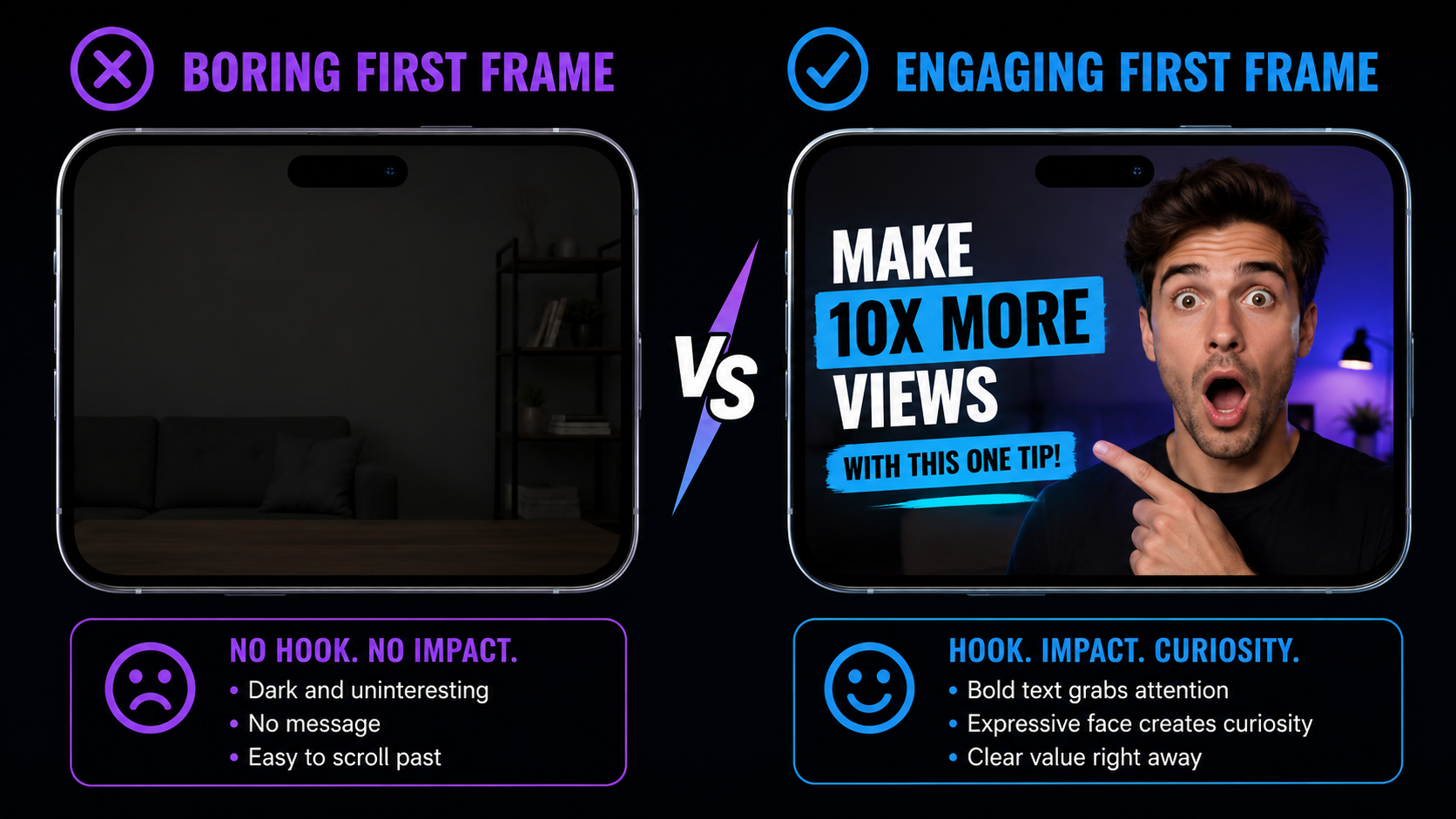
You have one second. Maybe two. That's the entire window your first frame has to stop someone mid-scroll on Instagram Reels. Sprout Social's research on Reels performance consistently shows that the drop-off in the first two seconds determines whether the algorithm considers your content worth distributing. If people swipe away immediately, the Reel is dead on arrival, regardless of how good the rest of it is.
The three-part hook structure that consistently works: a pattern interrupt, a relatable statement, and a promise. Pattern interrupt means the first frame looks different from what came before it in the feed: unexpected movement, bold text, a facial expression that makes you stop. Relatable statement means the viewer immediately recognizes themselves in what you're saying. Promise means they understand exactly what they're going to get if they keep watching.
Here are five proven hook formats with examples you can adapt.
The "I made a mistake so you don't have to" hook: "I wasted 6 months posting on Instagram before I figured this out." Immediately creates curiosity and positions you as someone who has already done the work.
The "Most people don't know this" hook: "The Instagram Reels algorithm changed in 2026 and nobody's talking about it." Works because it signals exclusive or underutilized information.
The question hook: "Why does this account have 10K followers and this one has 200, when they post the exact same content?" Viewers stay to find out the answer.
The transformation hook: "Watch what happens when I apply this one change to a Reel that flopped." Visual proof is irresistible when the before/after gap is compelling.
The bold claim hook: "You don't need trending audio to go viral on Instagram. Here's what actually matters." Contrarian takes that are backed by real data earn the click every time.
The hook that works in your niche isn't always the one that feels most creative. It's the one that mirrors what your audience is already thinking. In our testing, hooks that start with a specific number ("3 things I wish I knew before posting my first Reel") consistently outperform vague curiosity hooks ("You won't believe what I found out"). Specificity signals credibility.
Use our free Hook Generator to build your opening lines before you film. The same hook psychology applies to Reels and TikTok equally. Enter your topic and niche, and it generates five hook variations you can test across your next few posts.
Step 5: The "Sends Per Reach" Secret (Most Beginners Miss This)
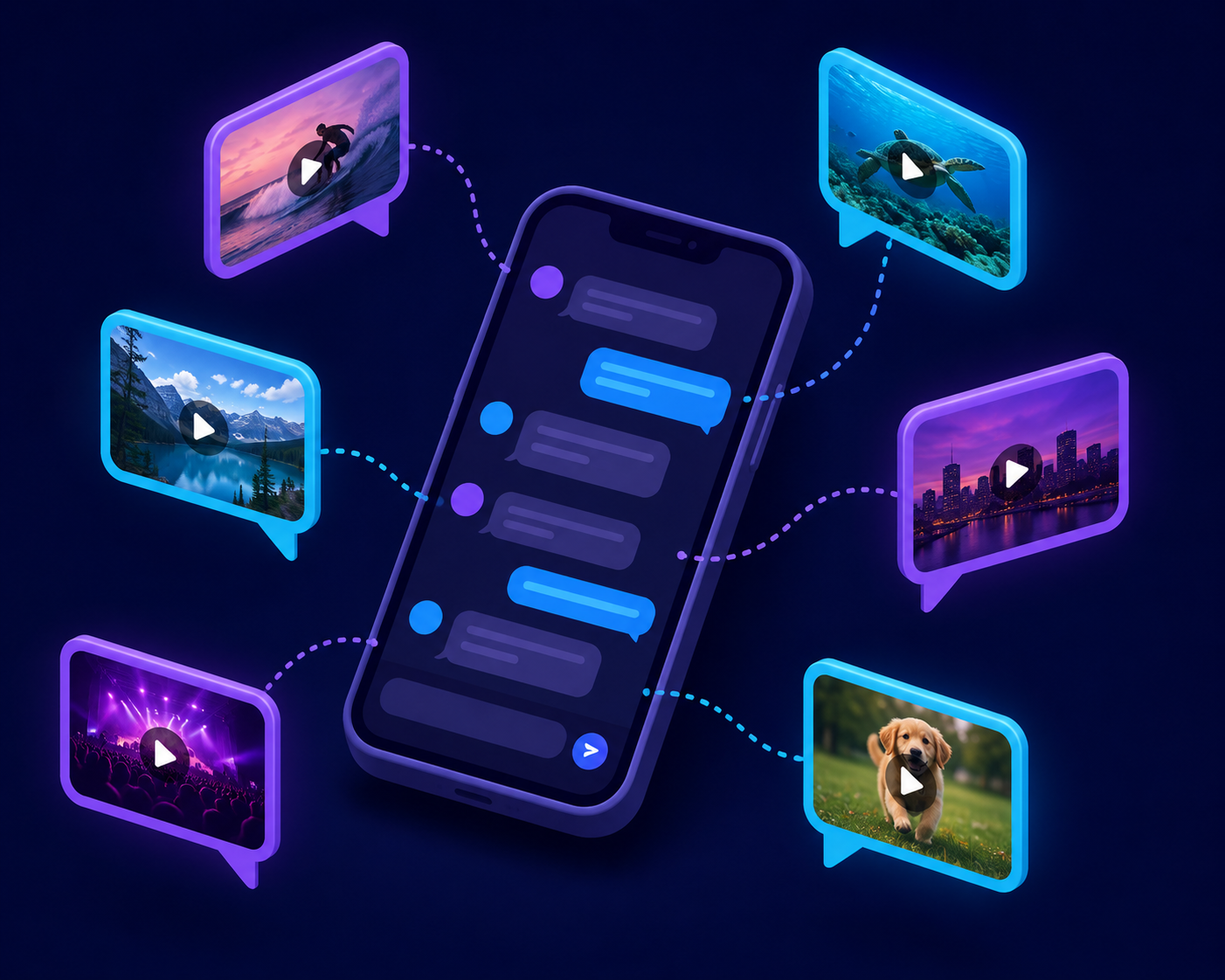
DM shares are now Instagram's top algorithmic signal for Reels in 2026. According to Dataslayer's analysis of Adam Mosseri's public statements in April 2026, "sends per reach" is the metric Instagram weights most heavily when deciding how far to push a Reel beyond your existing audience. This changes what "good content" means on the platform. It's not content people like. It's content people immediately want to send to someone else.
Dataslayer's April 2026 Instagram algorithm guide, citing Adam Mosseri's creator communications, identified "sends per reach" , the ratio of DM shares to total views, as the platform's primary Reels ranking factor. Content that prompts viewers to share via DM receives significantly greater algorithmic distribution than content that generates only passive engagement like views or double-taps.
Think about the last time you sent a video to someone in a DM. Why did you do it? Because it made you laugh, because it described a situation perfectly, because it was useful information the other person needed, or because it was so relatable you had to share it immediately. Those four motivations are your content brief. Every Reel should aim at one of them.
The practical difference between views-bait and share-worthy content is specificity. A Reel that says "5 tips for better sleep" gets watched. A Reel that says "Why you can't sleep after 2 AM (and the one thing that fixes it in 20 minutes)" gets sent to everyone's group chat. The more specifically you describe a problem your audience experiences, the more compelled they are to tag or DM it to someone who has the same problem.
Caption strategy matters here too. Captions that drive DM shares and tags follow a simple pattern: they name the shared experience and invite response. "Tag someone who needs to see this," "Which of these sounds like you? Drop it in the comments," and "Send this to the friend who's been asking about this" are not cringe engagement-bait. They're permission slips. They remind viewers that sharing is an option. It sounds obvious. Most creators skip it anyway.
Our Caption Generator helps you write captions that drive real engagement. It works just as well for Reels as it does for TikTok. Enter your Reel topic, and it generates caption options with built-in calls to action that prompt shares, tags, and comments.
What a Realistic Growth Timeline Looks Like
Expect 60 to 90 days of consistent posting before you hit 1,000 followers. That's not pessimism. That's the realistic window based on how the algorithm builds category trust for new accounts. At 3 Reels per week over 12 weeks, you'll have published 36 pieces of content. That's 36 chances to hit a non-follower audience, 36 data points on what your audience responds to, and a growing body of content that compounds over time.
Here's what those 12 weeks actually look like in practice.
Weeks 1-2: Mostly silence. Your views will be low, often under 200. This is normal. The algorithm is categorizing your account and hasn't yet found a consistent audience for your content. Don't change your niche, don't change your format. Keep posting exactly as planned. The algorithm needs at least 6-9 pieces of content before it has enough signal to push you effectively.
Weeks 3-6: First breakout Reel. At some point in this window, if your hooks are solid and your retention is above 50%, one Reel will hit 1,000-5,000 views. When it happens, immediately post another Reel in the same format within 48 hours. The algorithm is briefly paying more attention to your account. Use that window.
Weeks 7-12: Pattern locks in. By this point you know which format, which hook style, and which posting time works for your specific niche. Your follower count starts compounding rather than growing linearly. Each new follower has a slightly higher chance of sharing your next Reel because your content is more refined.
The mistake that kills 90% of beginner accounts is stopping in week 3 because "it's not working." Week 3 is exactly when most accounts are about to see their first real traction. Quitting then is like leaving the gym after 3 weeks because you haven't grown muscle yet. This growth curve mirrors what we break down for TikTok in our TikTok Growth Tips for Small Accounts post. The timeline is nearly identical.
Where Reels Views Come From
Source: Loopex Digital, 2026
Frequently Asked Questions
How long should Instagram Reels be for beginners?
Social Insider's analysis of 35 million posts found that 60-90 seconds gets the best reach for Reels. But don't pad your video to hit that window. A tight 30-second Reel with 90% retention beats a slow 90-second one with 40% retention every time. The rule is: make it as long as it needs to be, and not a second longer.
How many Reels should I post per week as a beginner?
Start with 3 per week and build to 5. Buffer's analysis of 9.6 million posts found that 3-5 Reels per week is the sweet spot for consistent growth without creative burnout. Drop below 2 per week and the algorithm treats your account as inactive , your distribution drops noticeably within a couple of weeks of going quiet.
What is Trial Reels on Instagram?
Trial Reels is Instagram's built-in testing feature that sends your Reel to non-followers first before publishing it to your own audience. You see real performance data (watch time, likes, DM shares) from cold viewers before you fully commit the content to your profile. It's Instagram's official feature for testing new formats with zero risk to your existing following.
Does Instagram penalize you for reposting TikToks as Reels?
Yes. Instagram's algorithm suppresses reach on Reels containing a visible TikTok watermark. You won't get banned, but your views will drop significantly compared to watermark-free content. Always remove the watermark before crossposting. CapCut's "remove watermark" feature handles it in under 30 seconds at no cost.
Why are my Reels getting 0 views?
Three main causes: your account is too new and the algorithm hasn't categorized you yet (completely normal in weeks 1 and 2), your hook isn't stopping the scroll in the first two seconds, or viewers are dropping off before reaching the 50% mark of your video. Open Instagram Insights, check your retention graph, find the exact drop-off point, and fix that specific moment first.
Start With One Reel. Not Ten Plans.
The most common reason beginner accounts stall has nothing to do with the algorithm. It's over-planning. People spend three weeks researching the perfect niche, building a content calendar, watching every growth video on YouTube, and drafting 12 caption variations, and then post nothing. The algorithm can't help content that doesn't exist yet.
Remember that embarrassing first Reel from the intro? The one with 11 views, four of which were you? That Reel, awkward as it was, taught you more about your retention curve, your hook timing, and your on-camera presence than any amount of pre-launch research could. The feedback loop only starts when you start.
Here's your actual three-step launch plan: Set up your Creator profile today using the bio formula from Step 2. Post three Reels this week using trending audio and a "teach one thing" format. Turn on Trial Reels for each post and check your retention graph after 48 hours. That's it. You don't need a 47-step strategy. You need data, and data only comes from publishing.
The 3 billion people on Instagram (CNBC, Sep 2025) are not waiting for a perfect account. They're waiting for content worth watching. Go give them something worth sending to a friend.
Your first follower wasn't looking for a big creator. They were looking for the right one. Go be that.