Key Takeaways
- Four free tools — ChatGPT, ElevenLabs, CapCut, Canva — produce a real YouTube video for $0 in under 2 hours
- A 5-minute video needs roughly 700 words of script; ChatGPT drafts it in 30 seconds vs. 45 to 90 minutes manually (Rizzle, 2025)
- ElevenLabs free gives 10,000 characters per month — enough for two 5-minute videos — but commercial rights require the $5/month plan
- YouTube's July 2025 policy requires AI disclosure in Studio or you risk demonetization; the toggle takes 15 seconds
- Educational explainers, tutorials, and ranked list videos in finance, tech, or productivity niches work best with this workflow
87% of creators already use AI tools in their production workflow, according to Artlist's survey of 6,500 creators (TechCrunch/Artlist, 2025). Most are still figuring out which tools actually work together. This guide gives you the exact 4-tool stack that produces a publishable YouTube video for zero dollars: ChatGPT writes the script, ElevenLabs narrates it, CapCut handles the editing, and Canva builds the thumbnail.
You don't need a camera. You don't need to record your own voice. You don't need editing experience. A laptop, a free account on each tool, and about two hours are all it takes.
One step this guide covers that most AI video tutorials skip entirely: the YouTube disclosure requirement that took effect in July 2025. Miss it and you risk demonetization. It takes 15 seconds to comply. We cover exactly where to click.
What ChatGPT Actually Does in Your YouTube Video Workflow
ChatGPT handles the script — and that is it. That sounds obvious, but it is where most beginners get confused. ChatGPT is not a video editor. It is not a voice generator. It does not upload anything to YouTube. It produces text, and in this workflow, that text becomes the foundation for everything that follows.
Here is what ChatGPT is genuinely useful for in this process: writing a structured YouTube script from a short topic description, generating 5 to 10 title variations, producing a search-optimized video description, and suggesting a tag list. Those four tasks cover everything YouTube's algorithm needs to surface your video to the right audience.
Before you open ChatGPT, decide your topic. Spend 5 minutes on this first. Our YouTube Video Idea Generator shows you which angles in your niche are getting searched right now. A great script on a topic nobody searches is still a video nobody watches.
Citation capsule: 86% of global creators now use generative AI in their creative process, according to Adobe's survey of 16,000 creators published in October 2025 (Adobe, Oct 2025). That share was under 50% just two years earlier. The tools have improved enough that adoption is no longer optional for creators who care about staying competitive on output volume.
The 4 Free Tools You Need (And What Each One Actually Does)
Four tools, zero cost. Here is what each one does and where the free tier limits are.
| Tool | What it does | Free limit | Watermark? |
|---|---|---|---|
| ChatGPT | Script + hooks + titles + descriptions | GPT-4o daily limit | None |
| ElevenLabs | AI voiceover (most natural free TTS) | 10,000 chars/month | None |
| CapCut | Video editing + auto-captions + 1080p export | Unlimited manual projects | None on manual edits |
| Canva | Thumbnails (1280x720 templates) | Unlimited free assets | None on free assets |
InVideo is worth mentioning because it appears on every AI video tool list. Skip it for final exports. The free plan adds a watermark that makes your video look unfinished. Use InVideo only for rough-draft script-to-video tests if you want a visual reference. Your finished video always comes out of CapCut.
Step 1: Write Your YouTube Script With ChatGPT in 15 Minutes
ChatGPT produces a complete 5-minute YouTube script in under 30 seconds. Manual research and writing takes the average beginner 45 to 90 minutes for the same word count, according to Rizzle's 2025 creator productivity data. That gap, across 50 videos per year, adds up to roughly 37 hours of saved writing time.
Use this exact prompt. Copy and paste it. Fill in the three brackets with your specifics, then hit send:
Write a YouTube script for a [LENGTH]-minute video about [TOPIC] targeting [AUDIENCE].
Include:
- A hook in the first 10 seconds. Use Pattern Interrupt: break a common assumption, name the problem, promise a specific outcome
- 3 main points, each backed by one concrete example or data point
- Smooth transitions between sections
- A call to action at the end asking viewers to subscribe
Rules: conversational tone, short sentences, no jargon. Write as if speaking, not writing. No bullet points inside the script body.
Word counts to know before you start: a 60-second Short needs about 130 words, a 5-minute video needs around 700 words, and a 10-minute video needs roughly 1,400 words. The most common beginner mistake is writing too much. A script stuffed to hit a word count sounds robotic when read by an AI voice. Write tighter.
The hook is the most important sentence in your entire script. ChatGPT will generate one, but always read it critically. If it starts with "Have you ever..." or "In today's world...", rewrite it. Those openers have been used so many times that viewers scroll past them on reflex.
Also run your title ideas through our YouTube Title Generator before filming. The title determines whether people click. Getting it right before you record saves you from publishing a good video with a weak entry point. And use our YouTube Script Generator to compare structure. It applies proven hook and CTA formats that improve the pacing of most AI-generated first drafts.
Citation capsule: A 5-minute YouTube video requires approximately 700 words of spoken content. ChatGPT generates a full draft in under 30 seconds. Manual research and writing takes the average beginner 45 to 90 minutes for the same output, according to Rizzle's 2025 creator productivity data. Over 50 videos per year, that difference amounts to roughly 37 saved hours of writing time.
Step 2: Turn Your Script Into a Voiceover With ElevenLabs
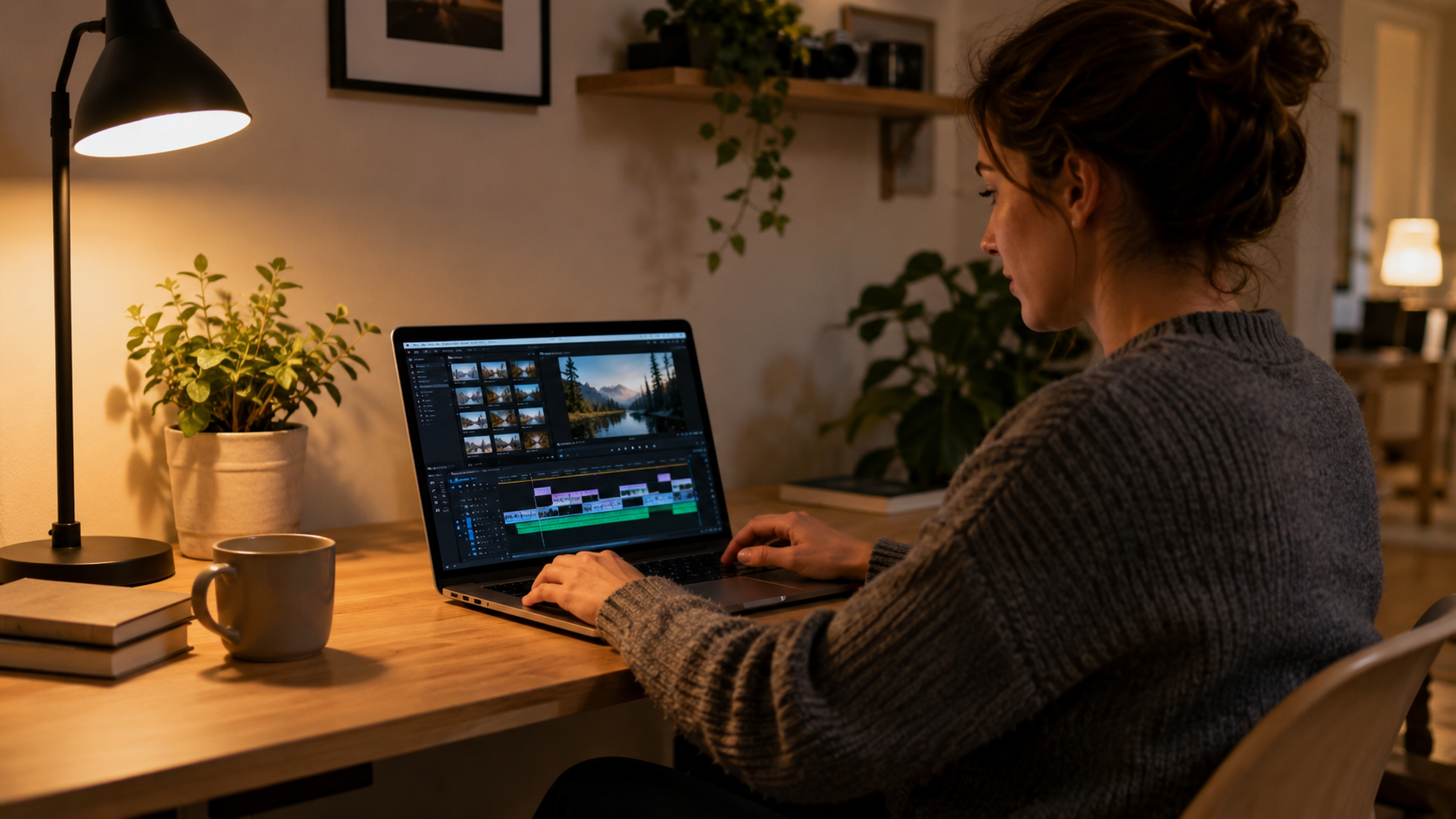
ElevenLabs produces the most natural-sounding free AI voice available in 2026. The free plan gives you 10,000 characters per month. A standard 5-minute script runs about 4,000 characters, which means you get two complete videos per month before hitting the limit.
Create a free account, choose your voice, and paste your script. For educational content, "Rachel" works well: clear, warm, and easy to follow at 1.25x playback speed. For conversational formats, "Antoni" is slightly warmer and less formal. Click Generate, download the MP3. The whole process takes about 3 minutes.
One thing most tutorials leave out: ElevenLabs free does not include commercial rights. That means you cannot legally use free-tier audio in monetized YouTube videos. You have two clean workarounds. First option: use CapCut's built-in text-to-speech for any monetized content. The quality is lower, but there are no commercial restrictions. Second option: upgrade to ElevenLabs Starter at $5 per month once you are earning consistently. That plan includes commercial rights and significantly better voice quality.
Don't upgrade yet. Learn what works on the free tier first. Use CapCut's TTS for monetized content in the meantime. The gap in voice quality is noticeable, but your early audience is mostly evaluating your content, not your voice.
Citation capsule: ElevenLabs' free tier provides 10,000 characters per month, equivalent to approximately 10 minutes of text-to-speech audio. A standard 5-minute YouTube video script runs 600 to 700 words, or roughly 4,000 characters, leaving capacity for two complete videos per month at no cost (ElevenLabs, 2026). Commercial rights require a paid plan starting at $5 per month.
Step 3: Edit Your Video in CapCut Without Filming
CapCut is the only free video editor that handles voiceover sync, auto-captions, stock footage, background music, and 1080p export without adding a watermark. Import your ElevenLabs MP3 as the audio track first. Then layer visuals on top.
For stock footage, CapCut has a built-in library, but Pexels.com is larger and has a proper free commercial license. Search for footage that matches what you are talking about at each moment in your script and drop clips onto the timeline above the audio track.
Turn on auto-captions right after you import the audio. CapCut generates them from your audio file in under 60 seconds. Captions are not optional. Many viewers watch without sound, especially on mobile, and captions are the difference between someone staying and someone scrolling. Style them in a bold font at the bottom third of the screen.
For background music, use CapCut's royalty-free library with the YouTube-safe filter turned on. Do not use music from Spotify, your personal library, or any track you downloaded from a third-party site. YouTube's Content ID system flags it immediately and removes monetization from the affected video.
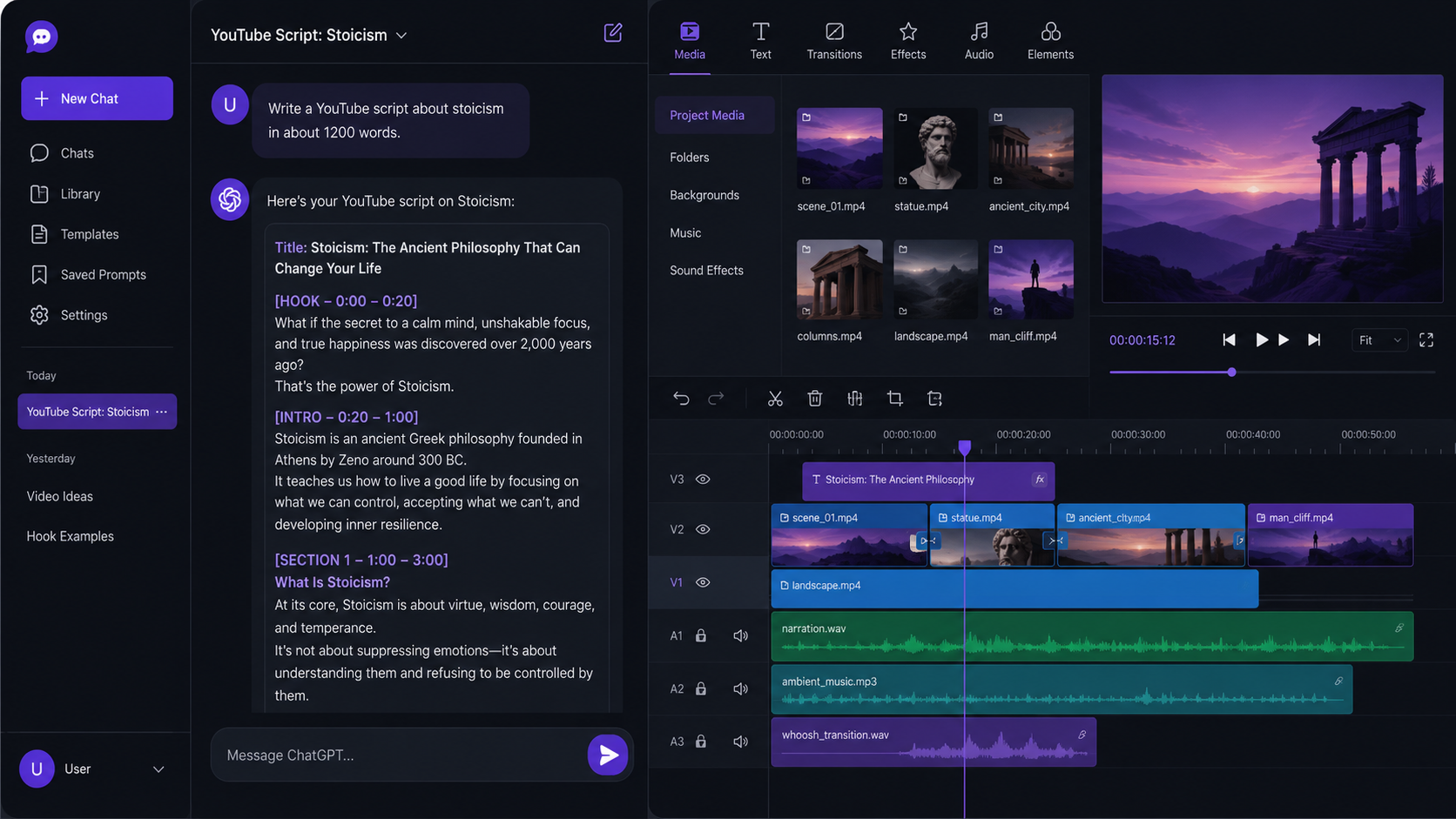
The three-part structure that works for AI faceless videos: open with a text hook on screen for about 3 seconds (something that makes the viewer stop scrolling), run your footage and voiceover through the main content, then close with a CTA card for the last 5 seconds asking people to subscribe or watch the next video.
Export at 1080p, 30fps, MP4. CapCut's free plan handles this cleanly with no watermark on manual projects.
If you are building a full automated channel rather than making a single video, our YouTube automation guide covers the complete system: niche selection based on CPM data, posting schedules, monetization timelines, and the policy risks to know before you scale.
Step 4: Design Your Thumbnail in Canva (5 Minutes)
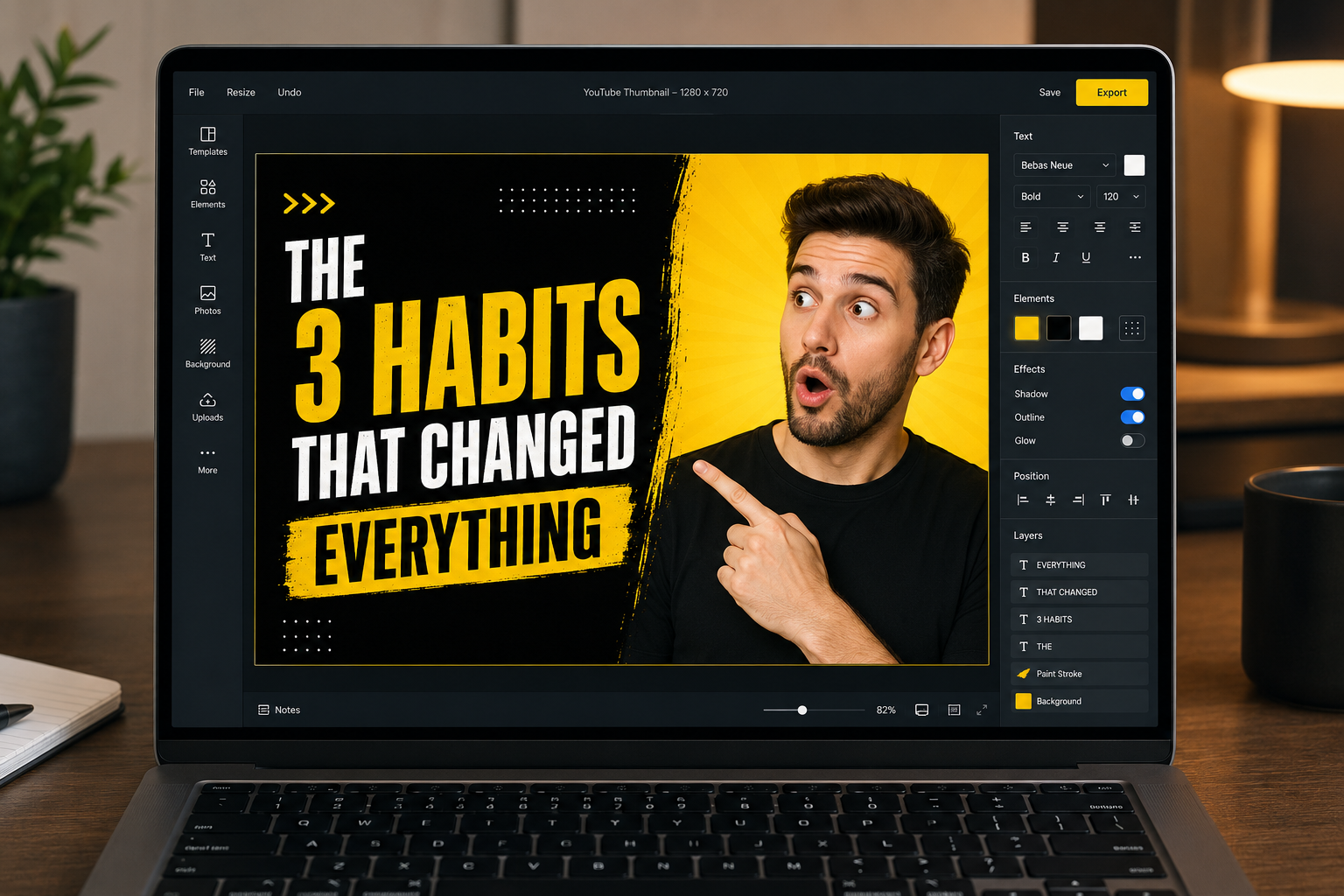
Your thumbnail gets clicked before your video gets watched. A weak thumbnail kills a strong video, every time. Canva's free plan includes over 200 YouTube thumbnail templates at the correct 1280x720 pixel size. You don't need design skills. You need three things: bold text, a strong visual, and high contrast.
Open Canva, search "YouTube Thumbnail," and pick a template with a dark or solid-color background. Add your text, keeping it to 3 to 5 words. Use either the problem or the result of your video. Short, specific, and surprising beats long and descriptive every time at thumbnail scale.
Free fonts that work on thumbnails: Impact for punchy statements, Montserrat Bold for clean authority, Bebas Neue for anything in the fitness or motivation space. All three are free in Canva. Make your text large enough to read when the thumbnail is displayed at mobile size, roughly 120x67 pixels. If you cannot read it at that scale, make it bigger.
Color rule: avoid pure white backgrounds. YouTube's interface uses white backgrounds in light mode, so white thumbnails vanish. Use a color that stands out: deep purple, orange, red, or bright yellow. High contrast between text and background matters more than overall aesthetics.
Run your thumbnail text alongside your title in our YouTube Title Generator to make sure both pull in the same direction. A mismatched title and thumbnail sends mixed signals to both viewers and the algorithm.
After publishing, upload two thumbnail variations and switch to the second after 48 hours if your click-through rate in YouTube Studio is below 4%.
Step 5: Disclose AI Use Before You Publish (Most Creators Skip This)
YouTube updated its creator policy in July 2025. Any video that uses AI to generate or alter content, including voiceover, visuals, or footage, must be disclosed in YouTube Studio before publishing. Skip this step and you risk demonetization or a channel strike. The toggle takes 15 seconds.
What triggers the requirement: AI-generated voiceovers (ElevenLabs or any TTS), AI-generated visuals, AI-altered footage, or realistic synthetic media of real people or places. What does NOT trigger it: using AI to write a script that a real person then reads on camera. The line is whether AI content appears directly in the final video, not whether AI helped create the underlying material.
How to disclose correctly: go to YouTube Studio, start your upload, scroll to More Options, and toggle "Altered or Synthetic Content" to ON. Select the description that best fits your content. YouTube adds a label to your video. That is the entire process.
What happens if you skip it: YouTube's automated system can add its own label without your control, remove monetization from the video, or issue a channel strike. The system is improving and catches undisclosed AI voices with increasing accuracy. Missing the toggle is like forgetting to declare something at customs. You might get through once, but it is not a risk worth taking on a channel you are building.
Treat the disclosure as a competitive strength. Creators who proactively mention AI in their descriptions and at the start of their videos tend to get more useful feedback in the comments. Audiences who know upfront that the voice is AI-generated critique the content, not the voice. That is a better feedback loop for improving your channel.
Citation capsule: YouTube's July 2025 policy update renamed "repetitious content" violations to "inauthentic content" and extended demonetization risk to AI-generated videos that fail to disclose synthetic voice or visuals. The disclosure toggle is in YouTube Studio under More Options during upload. Missing it is not a warning (YouTube Help Center, 2025).
What Types of YouTube Videos Work Best With This AI Workflow?
Educational content works best: explainers, tutorials, ranked lists, and how-to videos in niches with high advertiser demand. Finance, technology, productivity, and health are the strongest matches. These formats do not require your face on screen, work well with AI voiceover, and attract significantly higher advertising rates than entertainment content.
Formats that are harder to pull off convincingly with AI voice: talking-head vlogs, reaction videos, and anything where authenticity depends on a real person responding spontaneously to something on screen. AI voices have improved considerably, but they cannot replicate a genuine laugh or an unrehearsed "wait, WHAT?" moment. For those formats, you need a real voice.
For niche ideas before you settle on your topic, our faceless YouTube channel ideas guide covers 10 niches ranked by CPM with realistic earning estimates. Pick a niche with at least a $5 CPM before you start. The AI workflow is efficient enough that niche CPM becomes the biggest variable in your revenue.
Start with Shorts for your first three videos. Shorts drive discovery. 74% of YouTube Shorts views come from non-subscribers, making them the most powerful reach tool on the platform for new channels (LoopexDigital, 2026). Long-form videos (8 to 15 minutes) is where monetization lives: RPM rates run roughly 3 to 5 times higher than Shorts.
Channels that combine both formats grow 41% faster than single-format channels, according to AIR Media-Tech's 2025 analysis. For Shorts with this workflow, trim the script to 130 words, use CapCut's built-in TTS instead of ElevenLabs to preserve your character allowance, and cut the editing sequence down to hook plus one point plus CTA.
Once your first video is live, run it through our YouTube SEO checklist to confirm your title, description, and tags are set up to get found. And use our YouTube Tag Generator to complete your tag list before publishing.
Frequently Asked Questions
Can you really make a YouTube video with ChatGPT for free?
Yes. ChatGPT (free tier) writes your script in under 30 seconds. Pair it with ElevenLabs (10,000 characters per month free), CapCut (unlimited exports with no watermark on manual projects), and Canva (free templates at 1280x720) and your total production cost is zero. One caveat: ElevenLabs free does not include commercial rights for monetized content. Use CapCut's built-in text-to-speech for monetized videos until you are ready to upgrade.
How long does it actually take to make a YouTube video with AI?
Using the ChatGPT plus ElevenLabs plus CapCut workflow, most beginners finish a 3 to 5 minute video in 1.5 to 2 hours on their first attempt. By the third video, that drops to under 90 minutes. Manual production takes the average beginner around 7 hours for the same length, according to Zebracat's 2025 creator productivity data. Budget 3 hours for your very first video while you learn the CapCut timeline. Use that first attempt as your baseline, not your expectation.
Do you have to disclose AI content on YouTube?
Yes, since July 2025. If your video uses AI-generated voice, AI-generated visuals, or synthetic media, you must disclose it in YouTube Studio before publishing. Go to More Options during upload and toggle "Altered or Synthetic Content" to ON. Missing this step can result in demonetization or a channel strike. The process takes about 15 seconds and protects your channel from automated policy enforcement (YouTube Help Center, 2025).
What types of YouTube videos work best with free AI tools?
Educational explainers, tutorial videos, ranked lists, and how-to content in high-CPM niches perform best. Finance, technology, and productivity are the strongest matches because they do not require a face on screen and attract premium advertising rates. Reaction content, vlogs, and anything requiring spontaneous human moments are significantly harder to produce convincingly with AI voiceover alone.
Is ElevenLabs free tier good enough for YouTube in 2026?
For your first 10 to 15 videos, yes. The free plan provides 10,000 characters per month, enough for approximately two 5-minute videos. Voice quality on the free tier beats every other free text-to-speech option. The main limitation is commercial rights: you cannot legally use free-tier ElevenLabs audio in monetized content. Use CapCut's built-in TTS for monetized videos, or upgrade to ElevenLabs Starter at $5 per month once your channel is earning (ElevenLabs pricing, 2026).
Make the Video. Not the Plan.
The biggest obstacle in this process is treating it like a research project. You have read the guide. You understand the tools. The next thing your brain wants to do is open five more tabs and compare every AI tool released since 2023.
Don't.
Here is your actual next step: open ChatGPT, paste the script prompt from Step 1, and do not close the browser tab until you have a finished script. Not a plan for a script. A finished script, with a hook, three points, and a CTA. Everything else follows from that one decision.
Use our YouTube Video Idea Generator to nail your topic, our YouTube Script Generator to structure your content, and our YouTube Title Generator to optimize your click-through rate before you hit publish.
Once your video is live, run your tags through our YouTube Tag Generator and check your full optimization against our YouTube SEO checklist. Then start planning video number two.
The camera was never the problem. You have four free tools and a two-hour window. Go make the video.