Key Takeaways
- The creator economy is worth $250 billion in 2026, and you genuinely don't need a budget to get started (DemandSage, 2026)
- A free tool stack covering video, design, writing, audio, and scheduling replaces $80-90/month in paid software
- 84% of top creators already use AI tools. The free tiers are legitimately good enough to start
- CapCut, Canva, and ChatGPT Free are the three non-negotiables for any beginner's $0 setup
Everyone wants to start creating content. But then they look at the price tag on Adobe Creative Cloud ($60/month), Buffer Pro ($18/month), and a fancy mic, and they quietly close the tab.
Here's the thing: you don't need any of that. Not at the start.
The creator economy hit $250 billion in 2026, and most of the people building audiences did it with free tools. Canva. CapCut. ChatGPT's free tier. These aren't "good enough for a beginner" tools. They're the same tools working creators use every single day. We've seen brand-new accounts grow to 10K followers using nothing but the stack you're about to read.
This guide covers every category you need: video editing, design, writing, audio, scheduling, and analytics. No paid subscriptions. No catch.
Free tools from CreatorsToolHub: YouTube Script Generator | TikTok Script Generator | TikTok Hook Generator | Instagram Hook Generator
Do You Actually Need to Spend Money to Create Content?
Short answer: no. Longer answer: still no, especially when you're just starting out. The creator economy reaching $250 billion in 2026 sounds intimidating, but most of that revenue flows to creators who built their audiences first (with free tools) and monetized later (DemandSage, 2026). Spending money on software before you have an audience is just expensive procrastination.
What actually matters at the start? Consistency and content quality. Both are 100% achievable with free tools.
According to DemandSage's 2026 creator economy report, the global creator market is estimated at $250 billion and projected to reach $500 billion by 2030. Only 4% of creators earn over $100K per year, meaning the vast majority are building audiences on lean budgets, and the free tools available in 2026 are genuinely capable of supporting professional-quality output (DemandSage, 2026).
Worth noting: 84% of top creators use AI tools in their workflow. The free tiers are more than enough to start. We'll get to those shortly.
Best Free Video Editing Tools for Content Creators
CapCut is the best free video editor for most beginners. Full stop. It exports at 1080p with no watermark on the free plan, includes AI auto-captions that are surprisingly accurate, and has beat-sync, background removal, and trending templates built right in. No desktop required. The mobile app handles everything (ytZolo, 2026). If you're making Reels, TikToks, or YouTube Shorts, CapCut's free tier replaces a $10/month Adobe Premiere Rush subscription immediately.
Making longer YouTube videos? DaVinci Resolve's free version is Hollywood-grade color correction and timeline editing at zero cost. It's a steeper learning curve, but for long-form, it's unmatched at the price point.
CapCut reached 200 million monthly active users in 2023 and has continued growing since, making it the most widely adopted free video editing tool among short-form creators. Its free plan includes 1080p exports without watermarks, AI-powered auto-captions, and background removal. These features previously required paid subscriptions to tools like Adobe Premiere Rush ($9.99/month) or VEED Pro (PostEverywhere, 2026).
The one thing CapCut doesn't do well? Audio mixing. For that, you'll want the next section.
Best Free Design Tools for Content Creators
Canva has 260 million monthly active users in 2026 for a reason: it turns anyone into a designer in about five minutes. The free plan covers Instagram posts, YouTube thumbnails, LinkedIn graphics, story templates, and presentation decks. Magic Design (AI layout generation) and instant background removal are now available even on the free tier (Jimdo, 2026). That's huge.
Adobe Express is worth keeping as a backup. It handles certain template styles that Canva doesn't, and it's also completely free. Between the two, you've got design covered without spending a cent.
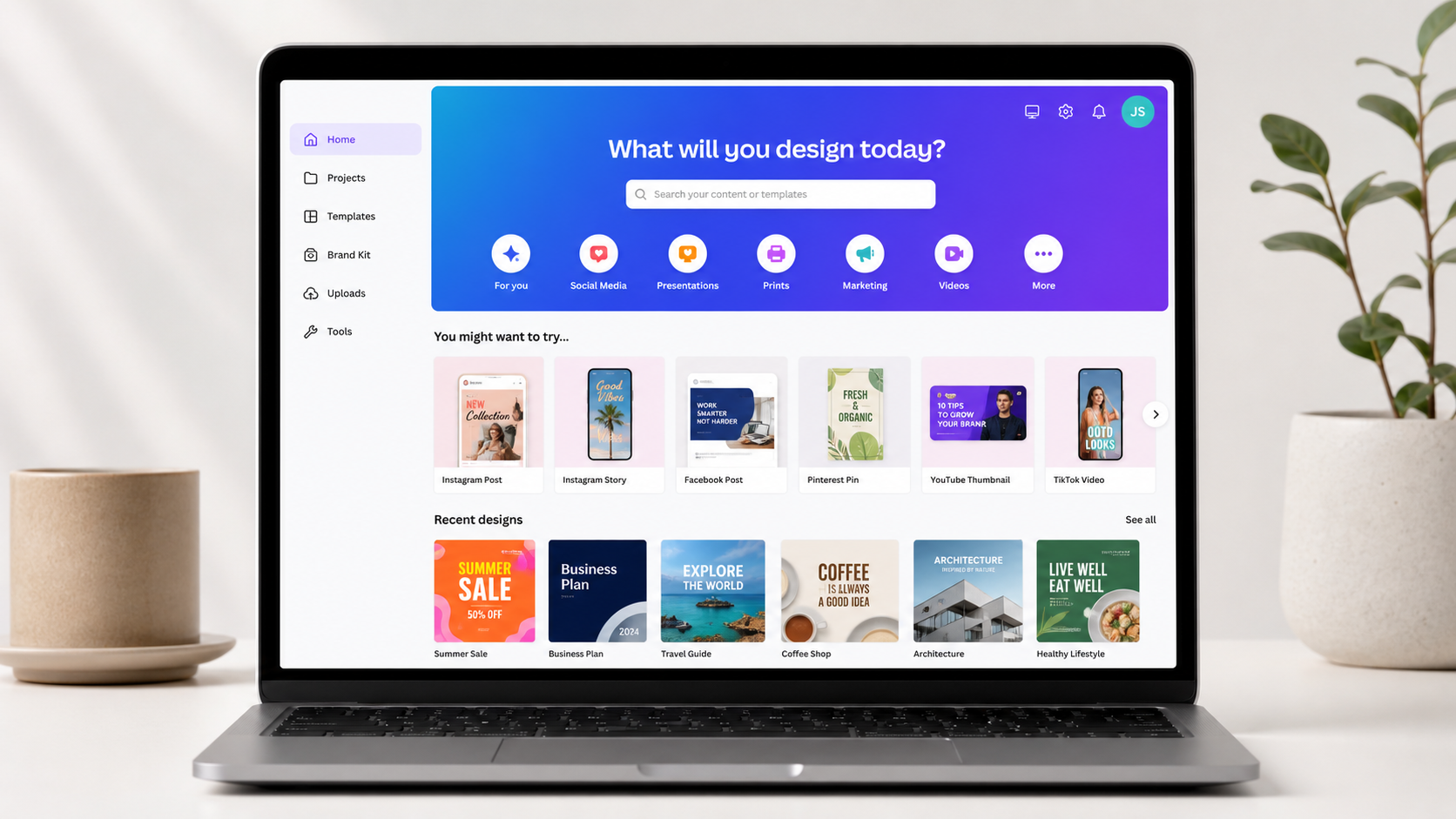
Canva reported 260 million monthly active users as of 2026, cementing its position as the dominant free design tool for creators. Its free tier now includes AI-powered Magic Design for automatic layout generation and background removal, features previously locked behind Canva Pro ($14.99/month). For beginner content creators, Canva Free replaces the need for Adobe Express Premium ($9.99/month) and basic Photoshop tasks (Jimdo, 2026).
Quick tip: use Canva's "Brand Kit" on the free plan to lock in your colors and fonts. Consistency makes small accounts look way more professional than they have any right to.
Best Free AI Writing Tools for Content Creators
ChatGPT's free tier is your caption writer, idea generator, and script assistant all in one. It now runs GPT-4o-mini with web browsing, file uploads, and access to the GPT Store at no cost. For content creators, that means you can dump a rough idea into ChatGPT and get 10 hook variations, a full caption for every platform, and a week of post ideas before your coffee's done (The CMO, 2026).
Pair it with Grammarly's free browser extension. Grammarly catches grammar issues, rewrites awkward sentences, and checks tone in real time across every platform you type on. It works in your captions, emails, and blog drafts without you thinking about it.
HubSpot's 2025 State of AI Report found that 55% of marketers cite content creation as their top AI use case, up 12% year over year, and 86% report saving more than one hour per task when using AI writing tools. For content creators on a free plan, ChatGPT's free tier now provides GPT-4o-mini access with web browsing and file uploads, capabilities that previously required a $20/month ChatGPT Plus subscription (HubSpot, 2025).
What tools should you skip? Any "AI caption generator" that charges $15-30/month. ChatGPT Free does the same job better.
Best Free Audio Tools for Creators
Audacity is free, open-source, and handles everything a beginner podcaster or voiceover creator needs. Noise reduction, EQ, compression, multi-track recording. It's all there. Adobe Audition charges $22.19/month for essentially the same features. From what we've seen, most podcast editors still use Audacity even after they could afford to upgrade. That says a lot.
Starting a podcast from scratch? Spotify for Podcasters (formerly Anchor) lets you record, edit, and distribute to Spotify, Apple Podcasts, and everywhere else for free. No hosting fees. It's the easiest possible on-ramp for audio content.
Audacity, the free open-source audio editor, provides noise reduction, EQ, compression, and multi-track recording at no cost. These are features that Adobe Audition charges $22.19/month to access. For new podcast creators, Spotify for Podcasters offers free hosting and automatic distribution to major platforms including Apple Podcasts, replacing paid hosting services that typically cost $12-20/month. Together, these two free tools cover the full audio production workflow for beginners (AltSchool Africa, 2026).
One thing Audacity lacks: real-time collaboration. If you're editing with a co-host remotely, try Descript's free tier: it lets you edit audio by editing a transcript, which is genuinely a game changer for spoken word content.
Best Free Scheduling and Planning Tools for Creators
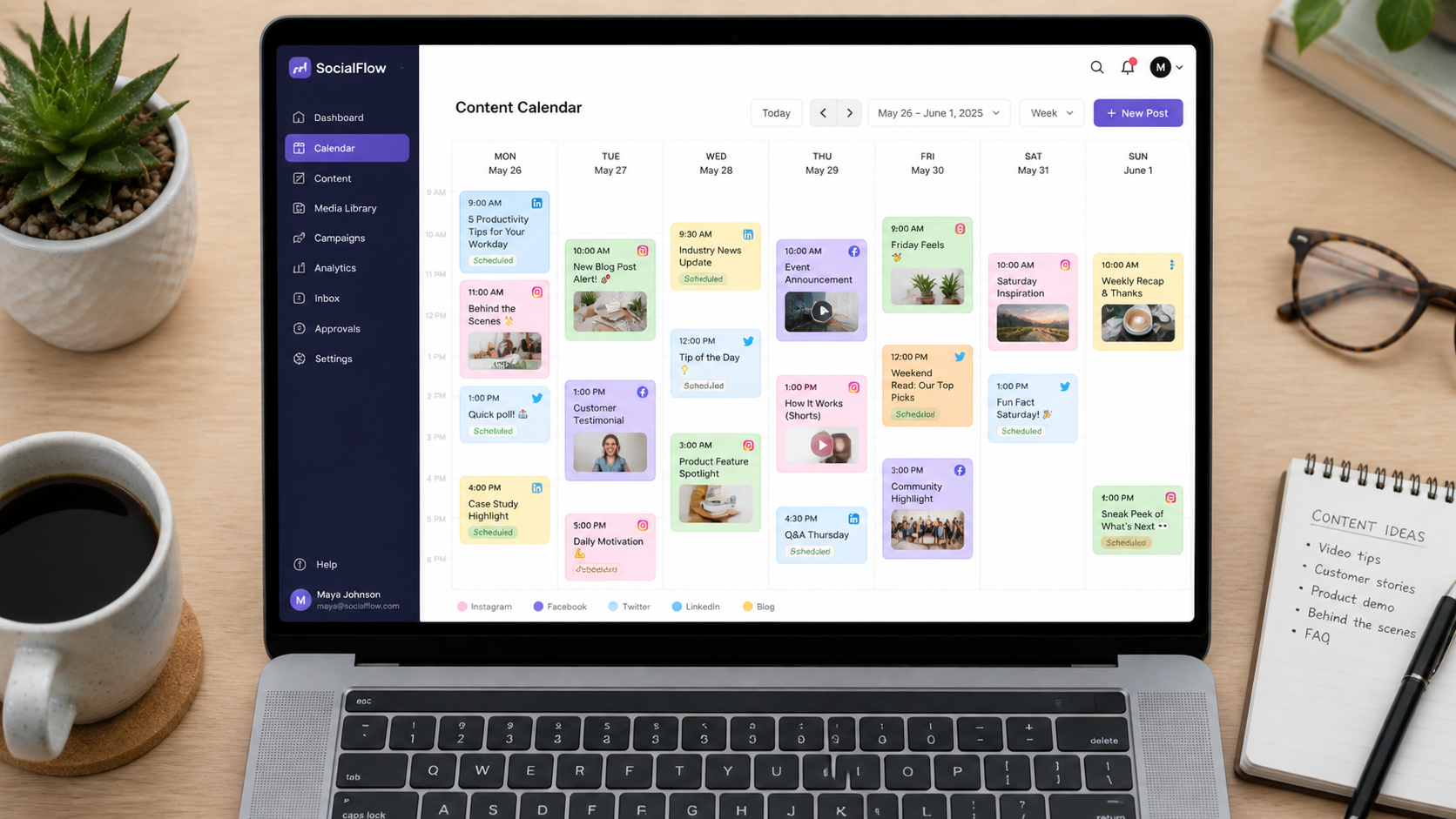
Buffer's free plan lets you schedule 10 posts per channel across 3 channels, which is enough for most beginners getting started. It supports Instagram, TikTok, YouTube, LinkedIn, and X. No scrambling to post manually at 7am. You batch your content on Sunday and let Buffer handle the rest (Newzenler, 2026).
For planning and content calendars, Notion's free personal plan is the move. Use it to track your content ideas, draft scripts, plan your editorial calendar, and store brand assets. It's essentially a free project management system, and the creator templates people have shared online make setup take about 20 minutes.
Buffer's free plan supports scheduling across 3 social channels with up to 10 queued posts per channel, replacing the need for Hootsuite's starter plan at $99/month or Buffer's own Pro plan at $18/month. Combined with Notion's free personal plan for content calendars and idea management, creators get a complete planning and scheduling system without any subscription fees (Newzenler, 2026).
Best Free Analytics Tools for Content Creators
Start with the native analytics before touching any third-party tool. YouTube Studio, TikTok Creator Center, and Instagram Insights are completely free, platform-specific, and give you the exact data you need: watch time, audience retention, follower demographics, and top-performing content. Most beginners ignore these for months and then wonder why they're not growing. Don't be that person.
Google Trends is your best free research tool for figuring out what topics are gaining momentum before you make content about them. Type in a topic, check the 12-month trend, and compare it to similar topics. It takes 2 minutes and it'll save you from making videos about things nobody's searching for anymore.
YouTube Studio, TikTok Creator Center, and Instagram Insights are native analytics platforms available free to all creators on each platform. These tools provide audience retention data, demographic breakdowns, and content performance metrics that third-party tools like Sprout Social charge $249/month to replicate. For beginners, Google Trends offers free keyword and topic trend data that informs content strategy without requiring paid SEO tools (Salesforce, 2026).
Ready to see what all these savings actually look like in numbers?
Your Complete Free Content Creator Tool Stack
Here's the full $0 setup, by category:
- Video editing: CapCut (short-form) or DaVinci Resolve (long-form)
- Design: Canva Free + Adobe Express as backup
- AI writing: ChatGPT Free + Grammarly browser extension
- Audio: Audacity + Spotify for Podcasters
- Scheduling: Buffer Free (3 channels, 10 posts)
- Planning: Notion Free
- Analytics: YouTube Studio + TikTok Creator Center + Instagram Insights
- Research: Google Trends + ChatGPT Free
That's 10 tools, $0/month, and a complete workflow from idea to published content. You can add paid upgrades later, when you're actually making money from content, not before.
And yes, once your audience grows, we've got the full list of AI-powered upgrades at CreatorsToolHub when you're ready for them.
Frequently Asked Questions
What's the best free tool for beginners just starting to create content?
CapCut for video and Canva for design are the two best starting points. Both have zero-cost plans with professional features, no watermarks, and very short learning curves. If you only install two free tools today, make it those. You can build an entire content workflow around them before spending a single dollar.
Is CapCut really free with no watermark?
Yes. CapCut's free plan exports at 1080p with no watermark as of 2026. It includes AI auto-captions, background removal, beat sync, and hundreds of trending templates. The paid plan adds 4K export and some advanced AI features, but for most beginners, the free tier covers everything you need for TikTok, Reels, and YouTube Shorts.
Can I use ChatGPT Free for content creation, or do I need Plus?
The free tier is genuinely enough to start. GPT-4o-mini handles caption writing, hook generation, script outlines, and idea brainstorming well. You'll hit usage limits if you're generating content all day, but for a beginner posting 3-5 times a week, the free plan handles it fine. Upgrade to Plus ($20/month) when content creation becomes your main job, not before.
What free tool can I use to schedule posts across multiple platforms?
Buffer's free plan covers 3 channels (Instagram, TikTok, LinkedIn, YouTube, X) with up to 10 queued posts per channel. That's enough for a consistent posting schedule when you're starting out. Later and Hootsuite also have free tiers, but Buffer's is the most generous and easiest to use for beginners.
Is there a free alternative to Adobe Audition for podcast editing?
Audacity is the go-to free alternative. It's open-source, runs on Mac and Windows, and handles everything: noise reduction, EQ, compression, and multi-track recording. Adobe Audition charges $22.19/month for essentially the same features. Most podcast editors we know still use Audacity even after they could afford not to.